<?xml version="1.0" encoding="utf-8"?><feed xmlns="http://www.w3.org/2005/Atom" ><generator uri="https://jekyllrb.com/" version="4.2.2">Jekyll</generator><link href="https://chainsawriot.com/feed/by_tag/emacs.xml" rel="self" type="application/atom+xml" /><link href="https://chainsawriot.com/" rel="alternate" type="text/html" /><updated>2026-01-18T17:55:17+01:00</updated><id>https://chainsawriot.com/feed/by_tag/emacs.xml</id><title type="html">chainsawriot</title><subtitle></subtitle><author><name>Chung-hong Chan</name></author><entry><title type="html">Fixing a sore point of ESS: `ess-indent-with-fancy-comments`</title><link href="https://chainsawriot.com/postmannheim/2025/04/04/fancycomments.html" rel="alternate" type="text/html" title="Fixing a sore point of ESS: `ess-indent-with-fancy-comments`" /><published>2025-04-04T00:00:00+02:00</published><updated>2025-04-04T00:00:00+02:00</updated><id>https://chainsawriot.com/postmannheim/2025/04/04/fancycomments</id><content type="html" xml:base="https://chainsawriot.com/postmannheim/2025/04/04/fancycomments.html"><![CDATA[<p>In <a href="/postmannheim/2025/03/16/misctalk2.html">a previous post</a>, I mentioned a bug-ish thing of Emacs Speaks statistics (ESS) of flymake integration.</p>

<p>Here is another. ESS has a pretty weird default behavior that I am kind of ashamed of. Its name is “fancy comments”. First, it explains why all of my R code is commented with two hashes. Here is the excerpt from <a href="https://ess.r-project.org/Manual/ess.html#Indenting-and-formatting-R-code">the ESS manual</a>.</p>

<blockquote>
  <p>Comments are also handled specially by ESS, using an idea borrowed from the Emacs-Lisp indentation style. By default, comments beginning with ‘###’ are aligned to the beginning of the line. Comments beginning with ‘##’ are aligned to the current level of indentation for the block containing the comment. Finally, comments beginning with ‘#’ are aligned to a column on the right (the 40th column by default, but this value is controlled by the variable <code class="language-plaintext highlighter-rouge">comment-column</code>,) or just after the expression on the line containing the comment if it extends beyond the indentation column. You turn off the default behavior by adding the line <code class="language-plaintext highlighter-rouge">(setq ess-indent-with-fancy-comments nil)</code> to your .emacs file.</p>
</blockquote>

<p>In my opinion, this default is kind of ridiculous. Therefore, if you write a comment with one hash and then press Return, that comment will be aligned to the 40th column by default (or: adding 40 spaces before it). My question is: Who would want that?</p>

<p>Perhaps someone would want that. But I actually don’t. After many years of having this weird default, I should change that. In the manual, it says changing one variable <code class="language-plaintext highlighter-rouge">ess-indent-with-fancy-comments</code> would work. The reality is, it does not work. It is not as simple and therefore the manual is incorrect. The usual trick of writing a function to change a variable and attach it to the mode hook isn’t working too. As of writing, this is still <a href="https://github.com/emacs-ess/ESS/issues/978">an open issue</a>.</p>

<p>The problem is, that variable is actually in the <code class="language-plaintext highlighter-rouge">ess-style-alist</code> (association list, more or less like the R list or Python dictionary). Which style to use is defined by the variable <code class="language-plaintext highlighter-rouge">ess-style</code>. The default <code class="language-plaintext highlighter-rouge">ess-style</code> is <code class="language-plaintext highlighter-rouge">RRR</code>. Therefore, one has to modify <code class="language-plaintext highlighter-rouge">ess-indent-with-fancy-comments</code> of the <code class="language-plaintext highlighter-rouge">RRR</code> key.</p>

<div class="language-lisp highlighter-rouge"><div class="highlight"><pre class="highlight"><code><span class="p">(</span><span class="nb">defun</span> <span class="nv">dont-like-fancy</span> <span class="p">()</span>
  <span class="s">"switch off fancy comments in the default RRR ess-style"</span>
<span class="p">(</span><span class="nv">setcdr</span> <span class="p">(</span><span class="nb">assoc</span> <span class="ss">'ess-indent-with-fancy-comments</span> <span class="p">(</span><span class="nb">cdr</span> <span class="p">(</span><span class="nb">assoc</span> <span class="ss">'RRR</span> <span class="nv">ess-style-alist</span><span class="p">)))</span> <span class="no">nil</span><span class="p">))</span>
<span class="p">(</span><span class="nv">add-hook</span> <span class="ss">'ess-mode-hook</span> <span class="ss">'dont-like-fancy</span><span class="p">)</span>
<span class="p">(</span><span class="nv">add-hook</span> <span class="ss">'ess-r-mode-hook</span> <span class="ss">'dont-like-fancy</span><span class="p">)</span>
</code></pre></div></div>

<p>This method is key of hacky, because according to the ESS manual the style <code class="language-plaintext highlighter-rouge">RRR</code> should be fixed. The recommended way is to use the <code class="language-plaintext highlighter-rouge">OWN</code> style and then customize <code class="language-plaintext highlighter-rouge">ess-own-style-list</code>. Actually, by default it switches off <code class="language-plaintext highlighter-rouge">ess-indent-with-fancy-comments</code>. This should be the speedier (and officially sanctioned) way.</p>

<div class="language-lisp highlighter-rouge"><div class="highlight"><pre class="highlight"><code><span class="p">(</span><span class="k">setq</span> <span class="nv">ess-style</span> <span class="ss">'OWN</span><span class="p">)</span>
<span class="p">(</span><span class="nb">setf</span> <span class="p">(</span><span class="nb">cdr</span> <span class="p">(</span><span class="nb">assoc</span> <span class="ss">'ess-indent-with-fancy-comments</span> <span class="nv">ess-own-style-list</span><span class="p">))</span> <span class="no">nil</span><span class="p">)</span>
</code></pre></div></div>
<p>I think from now on, I will write comment with just one hash.</p>]]></content><author><name>Chung-hong Chan</name></author><category term="postmannheim" /><category term="emacs" /><category term="R" /><summary type="html"><![CDATA[In a previous post, I mentioned a bug-ish thing of Emacs Speaks statistics (ESS) of flymake integration.]]></summary></entry><entry><title type="html">Miscellaneous talk #45 Quarto guy, Overleaf’s markdown mode?, Flymake, Mailing lists, CRAN</title><link href="https://chainsawriot.com/postmannheim/2025/03/16/misctalk2.html" rel="alternate" type="text/html" title="Miscellaneous talk #45 Quarto guy, Overleaf’s markdown mode?, Flymake, Mailing lists, CRAN" /><published>2025-03-16T00:00:00+01:00</published><updated>2025-03-16T00:00:00+01:00</updated><id>https://chainsawriot.com/postmannheim/2025/03/16/misctalk2</id><content type="html" xml:base="https://chainsawriot.com/postmannheim/2025/03/16/misctalk2.html"><![CDATA[<ul>
  <li>Well, now I am the <a href="https://quarto.org/">“Quarto guy”</a> in my work place, thanks to the decision made by <a href="https://mr.schochastics.net/">the previous Quarto guy</a>, who has left. And therefore, I will need to deliver workshops to my colleagues on how to use Quarto. For the workshop, I thought it would be nice not to teach it like a regular course, which one has to create a document from the beginning. Instead, it would be better to start from a document in Microsoft Word and then try to convert it to Quarto. And in order to do that, one has to use <a href="https://pandoc.org/">pandoc</a>. I know that Quarto uses pandoc somewhere. But I thought one has to install it as a dependency separately. Only after some more studying with the CLI, I now know that there is the <code class="language-plaintext highlighter-rouge">quarto pandoc</code> sub-command to expose the included built-in pandoc. And in fact, there is also <code class="language-plaintext highlighter-rouge">quarto typst</code>; meaning <a href="https://github.com/typst/">typst</a> is also a built-in component. The weirdest is perhaps <code class="language-plaintext highlighter-rouge">quarto run</code>, which exposes <a href="https://deno.com/">deno</a> for running Typescript. After knowing these, they makes the workshop run smoother, as my colleagues can have a suite of useful tools just by installing Quarto.</li>
  <li>Another consequence of becoming the “Quarto guy” is that I have to find a good way to do collaborative writing. This is like the constant theme of this blog, see <a href="/postmannheim/2023/11/01/writeica.html">this</a> and <a href="/mannheim/2021/10/17/prepareica.html">this</a>. The newest experiment is to use Overleaf by exploiting the <code class="language-plaintext highlighter-rouge">markdown</code> CTAN package. With this method, citations work, image and table placement works. Code execution is still not working. The project can also be clone offline and edit with Emacs.</li>
</ul>

<div class="language-latex highlighter-rouge"><div class="highlight"><pre class="highlight"><code><span class="k">\documentclass</span><span class="p">{</span>article<span class="p">}</span>
<span class="k">\usepackage</span><span class="na">[citations]</span><span class="p">{</span>markdown<span class="p">}</span>

<span class="k">\title</span><span class="p">{</span>Whatever title<span class="p">}</span>
<span class="nt">\begin{document}</span>

<span class="k">\markdownInput</span><span class="p">{</span>source.md<span class="p">}</span>

<span class="k">\bibliographystyle</span><span class="p">{</span>apalike<span class="p">}</span>
<span class="k">\bibliography</span><span class="p">{</span>references.bib<span class="p">}</span>

<span class="nt">\end{document}</span>
</code></pre></div></div>

<ul>
  <li>Let’s also talk about Emacs and <a href="https://ess.r-project.org/">ESS</a>. Earlier this year I updated Emacs to 30.1. And then strangely, opening R files would have a larger left margin. After some investigation, I found that the local variable <code class="language-plaintext highlighter-rouge">left-margin-width</code> became 2 for all R buffers. On the <a href="https://stat.ethz.ch/pipermail/ess-help/2024-December/013360.html">official mailing list</a>, I found a person (the original poster) who also had the same problem, but there was no answer. Then, I sent an reply. Finally, the original poster told me the reason for this is that the flymake-model integration might have problem. The solution is to disable ess-flymake integration <code class="language-plaintext highlighter-rouge">(setq ess-use-flymake nil)</code>. I don’t use flymake anymore, so it doesn’t matter. But yeah, it fixed the issue.</li>
  <li>Let’s also talk about mailing lists. In the R community, mailing lists have a bad name. People would prefer, I don’t know, Bluesky now? Or smaller circles, such as, I don’t know, Discord? Slack? Just talking about the technology. I think mailing lists is the most open because one only needs an e-mail address to join. I think now, the people who are still active on R mailing lists are not hostile but instead quite nice. The signal/noise ratio is extremely high. I don’t need to see other social media content, for example.</li>
  <li>The last thing I would like to talk about is CRAN. I read a blog post by <a href="https://blog.adafruit.com/2025/03/05/from-russia-with-code-the-2024-arduino-open-source-report/">Adafruit</a>, a hardware company. The tldr of that is: Adafruit maintains several Arduino (single-board microcontrollers) open source software packages. In 2024, a new company forked their code and added those code to the <a href="https://github.com/arduino/library-registry">Arduino Library Registry</a>. The worst part: That new company removed the original open source license, changed the copyright holder to themselves etc.<br />
I did fork some code myself too. <code class="language-plaintext highlighter-rouge">minty</code> is a fork of some code in <code class="language-plaintext highlighter-rouge">readr</code>. Although it is fine to fork open source code, I believe in two things: 1) one still has to respect the original license, and 2) one has to communicate with the original authors to show that forking is done in good faith.<br />
I can’t help but to think about how Arduino Library Registry and CRAN work. Again, CRAN has a bad name. I criticize it sometimes, e.g. <a href="/postmannheim/2024/05/26/readods230.html">this</a>. It is not difficult to find harsher critique of CRAN regularly on blog aggregator <a href="https://rweekly.org/">rweekly</a>. A few weeks back there was a highlight article entitled <a href="https://arilamstein.com/blog/2025/02/12/is-cran-holding-r-back/"><em>Is CRAN Holding R back?</em></a> Well, every one is entitled to have an opinion and I don’t want to comment whether CRAN is holding R back. But there is a comparison between the semi-automatic and test-free model of package submission (e.g. PyPI) and the manual and constant testing model of CRAN. But the merits of the CRAN model are not discussed. <br />In my opinion, it is not entirely a technological question, but a political one. Diplomatically speaking, all models have trade offs. While it is true that it is difficult to get a package on CRAN and keeping a package on CRAN one has to do more work, you should at least know what the package is tested on CRAN’s fleet of test servers and should be installable on three major OSes. You should also expect that the e-mail address of the maintainer should still be reachable by CRAN, most likely also by you. Supply chain attack, in principle, should be more difficult. This model is perhaps “outdated” because only some very conservative open source repositories would still use this model, e.g. <a href="https://packages.debian.org/stable/">Debian</a>. PyPI is in fact similarly, but without the constant testing part. Software repositories of newer languages just ask for a Github address. Arduino Library Registry is an extreme version in this school of thinking, where the entire thing is just <a href="https://github.com/arduino/library-registry/blob/main/repositories.txt">a text file</a> <sup id="fnref:1" role="doc-noteref"><a href="#fn:1" class="footnote" rel="footnote">1</a></sup>.
I don’t have a moral of the story for this one. But I believe I sleep slightly better, when CRAN doesn’t operate like Arduino Library Registry.</li>
  <li>Finally, I am moving my private projects to Codeberg. You should too.</li>
</ul>

<hr />

<div class="footnotes" role="doc-endnotes">
  <ol>
    <li id="fn:1" role="doc-endnote">
      <p>Julia asks for the SHA of a Git release, at least. <a href="#fnref:1" class="reversefootnote" role="doc-backlink">&#8617;</a></p>
    </li>
  </ol>
</div>]]></content><author><name>Chung-hong Chan</name></author><category term="postmannheim" /><category term="emacs" /><category term="R" /><summary type="html"><![CDATA[Well, now I am the “Quarto guy” in my work place, thanks to the decision made by the previous Quarto guy, who has left. And therefore, I will need to deliver workshops to my colleagues on how to use Quarto. For the workshop, I thought it would be nice not to teach it like a regular course, which one has to create a document from the beginning. Instead, it would be better to start from a document in Microsoft Word and then try to convert it to Quarto. And in order to do that, one has to use pandoc. I know that Quarto uses pandoc somewhere. But I thought one has to install it as a dependency separately. Only after some more studying with the CLI, I now know that there is the quarto pandoc sub-command to expose the included built-in pandoc. And in fact, there is also quarto typst; meaning typst is also a built-in component. The weirdest is perhaps quarto run, which exposes deno for running Typescript. After knowing these, they makes the workshop run smoother, as my colleagues can have a suite of useful tools just by installing Quarto. Another consequence of becoming the “Quarto guy” is that I have to find a good way to do collaborative writing. This is like the constant theme of this blog, see this and this. The newest experiment is to use Overleaf by exploiting the markdown CTAN package. With this method, citations work, image and table placement works. Code execution is still not working. The project can also be clone offline and edit with Emacs.]]></summary></entry><entry><title type="html">The tool situation 2023 Q4: shell, dirvish, expand-region, iPhone SE</title><link href="https://chainsawriot.com/postmannheim/2023/12/24/tools2023q4.html" rel="alternate" type="text/html" title="The tool situation 2023 Q4: shell, dirvish, expand-region, iPhone SE" /><published>2023-12-24T00:00:00+01:00</published><updated>2023-12-24T00:00:00+01:00</updated><id>https://chainsawriot.com/postmannheim/2023/12/24/tools2023q4</id><content type="html" xml:base="https://chainsawriot.com/postmannheim/2023/12/24/tools2023q4.html"><![CDATA[<p>The original idea was to just give a follow up to all those “Advent of emacs” (<a href="/postmannheim/2022/12/01/aoe1.html">aoe</a>) posts an update and say whether I am still using emacs the way described in those posts. But actually I have accumulated quite a bit of posts about tools (all tools, not just emacs). I think it would be nice to review the tool situation regularly. For one, it makes obsolete some previous blogs. For two, I can tell you the little tools I enjoy recently.</p>

<h1 id="emacs">Emacs</h1>

<p>My current emacs setup is not far away from the time those “Advent of emacs” were written. However, as I said in <a href="/postmannheim/2023/11/01/writeica.html">the ICA paper post</a>, the post on GhostText and Overleaf is now obsolete because of Overleaf’s removal of the so-called legacy interface (basically an HTML <code class="language-plaintext highlighter-rouge">&lt;textarea&gt;</code>, I think). I am now using the web interface mostly, which is not ideal.</p>

<p>Other than that, I am still using more or less the same setup: <code class="language-plaintext highlighter-rouge">ess</code>, <code class="language-plaintext highlighter-rouge">magit</code>, <code class="language-plaintext highlighter-rouge">deft</code>, etc. I am still using the same theme (<code class="language-plaintext highlighter-rouge">tron-legacy</code>), although not in summer. For the summer, I used the very boomer beige <code class="language-plaintext highlighter-rouge">solarized-theme</code>.</p>

<h2 id="the-shell-situation">The <code class="language-plaintext highlighter-rouge">shell</code> situation</h2>

<p>I wrote in <a href="/postmannheim/2022/12/05/aoe5.html">aoe5</a> that I don’t use <code class="language-plaintext highlighter-rouge">eshell</code> (shell written in elisp). In 2023, I found an important niche of <code class="language-plaintext highlighter-rouge">eshell</code>, that is, to run an interactive R session on a remote server. I found that <code class="language-plaintext highlighter-rouge">eshell</code> is the a shell I can <code class="language-plaintext highlighter-rouge">ssh</code> to a remote server, run R there, and then run <code class="language-plaintext highlighter-rouge">(ess-remote)</code> to make it an interactive R session that I can send R code over. Actually, <code class="language-plaintext highlighter-rouge">shell</code> can do that too, perhaps more nicely than <code class="language-plaintext highlighter-rouge">eshell</code>. Only <code class="language-plaintext highlighter-rouge">vterm</code> can’t do that.</p>

<p>The next item is related to remote editing.</p>

<h2 id="dirvish-and-a-crazy-feature-of-magit"><code class="language-plaintext highlighter-rouge">dirvish</code> and a crazy feature of <code class="language-plaintext highlighter-rouge">magit</code></h2>

<p>I wrote in <a href="/postmannheim/2022/12/05/aoe5.html">aoe5</a> also that I don’t like to use <code class="language-plaintext highlighter-rouge">dired</code>. But for remote session (which I needed to do a lot in some part of 2023), it is actually quite nice to use <code class="language-plaintext highlighter-rouge">dired</code> to open a remote directory via <code class="language-plaintext highlighter-rouge">tramp</code>, e.g <code class="language-plaintext highlighter-rouge">(find-file "/sshx:whatever:~/")</code> and then select files from there to edit locally and save it back to its remote location.</p>

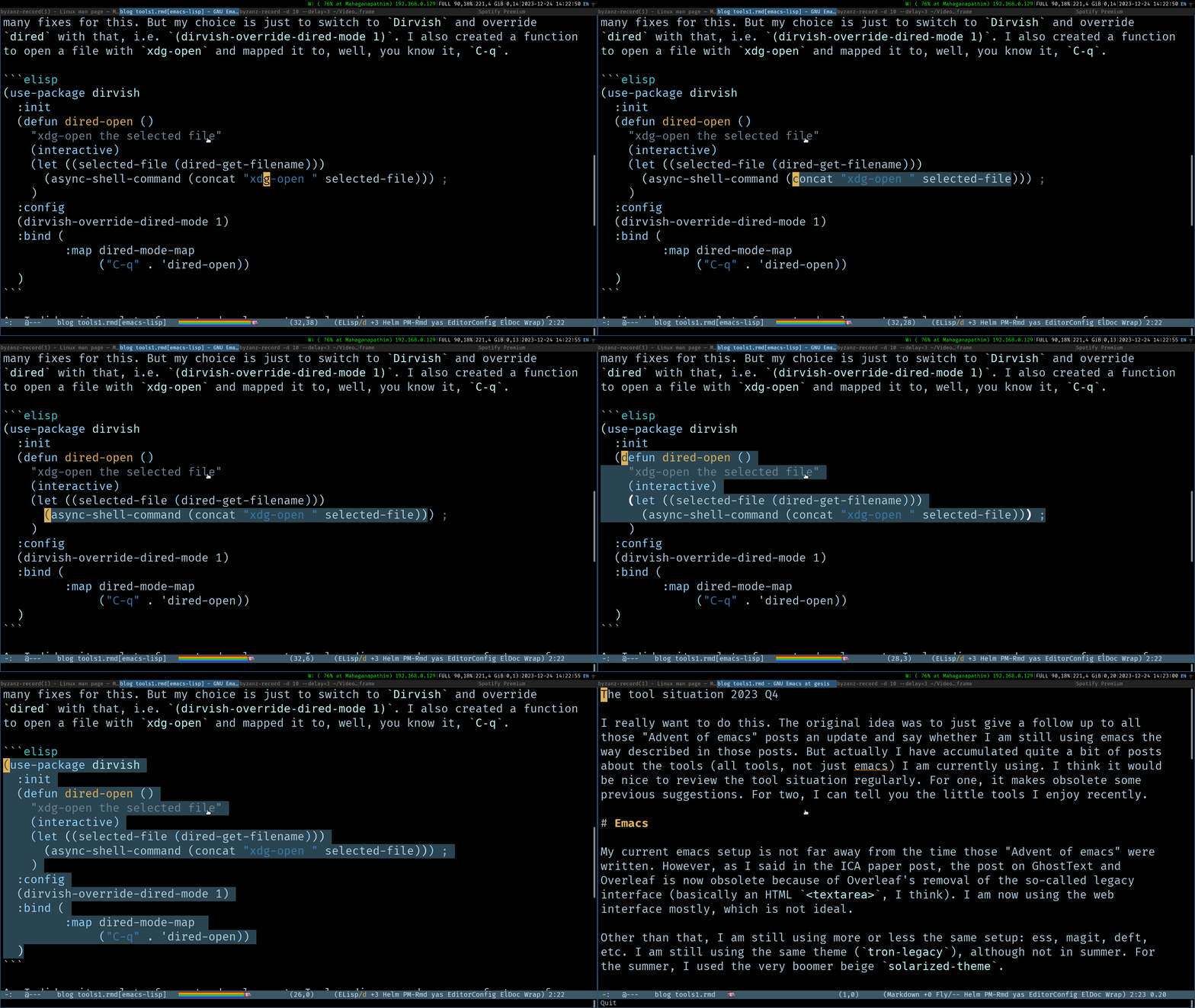
<p>But I still don’t like <code class="language-plaintext highlighter-rouge">dired</code> for open up too many buffers. Yes, I know there are many fixes for this. But my choice is just to switch to <a href="https://github.com/alexluigit/dirvish"><code class="language-plaintext highlighter-rouge">dirvish</code></a> and override <code class="language-plaintext highlighter-rouge">dired</code> with that, i.e. <code class="language-plaintext highlighter-rouge">(dirvish-override-dired-mode 1)</code>. I also created a function to open a file with <code class="language-plaintext highlighter-rouge">xdg-open</code> and mapped it to, well, <a href="/postmannheim/2022/12/23/aoe23.html">you know it</a>, <code class="language-plaintext highlighter-rouge">C-q</code>.</p>

<div class="language-elisp highlighter-rouge"><div class="highlight"><pre class="highlight"><code><span class="p">(</span><span class="nb">use-package</span> <span class="nv">dirvish</span>
  <span class="ss">:init</span>
  <span class="p">(</span><span class="nb">defun</span> <span class="nv">dired-open</span> <span class="p">()</span>
    <span class="s">"xdg-open the selected file"</span>
    <span class="p">(</span><span class="nv">interactive</span><span class="p">)</span>
    <span class="p">(</span><span class="k">let</span> <span class="p">((</span><span class="nv">selected-file</span> <span class="p">(</span><span class="nv">dired-get-filename</span><span class="p">)))</span>
	  <span class="p">(</span><span class="nv">async-shell-command</span> <span class="p">(</span><span class="nv">concat</span> <span class="s">"xdg-open "</span> <span class="nv">selected-file</span><span class="p">)))</span> <span class="c1">;</span>
    <span class="p">)</span>
  <span class="ss">:config</span>
  <span class="p">(</span><span class="nv">dirvish-override-dired-mode</span> <span class="mi">1</span><span class="p">)</span>
  <span class="ss">:bind</span> <span class="p">(</span>
		 <span class="ss">:map</span> <span class="nv">dired-mode-map</span> 
			  <span class="p">(</span><span class="s">"C-q"</span> <span class="o">.</span> <span class="ss">'dired-open</span><span class="p">))</span>
  <span class="p">)</span>
</code></pre></div></div>

<p>As I did quite a lot of remote development, I also discovered a crazy feature of <code class="language-plaintext highlighter-rouge">magit</code>. Actually, it is possible to use a local <code class="language-plaintext highlighter-rouge">magit</code> session to connect to a remote git repository and do all the git things on the remote repository. Mind blowing.</p>

<h3 id="expand-region"><code class="language-plaintext highlighter-rouge">expand-region</code></h3>

<p>Another useful tool that I discovered recently is <a href="https://github.com/magnars/expand-region.el"><code class="language-plaintext highlighter-rouge">expand-region</code></a>. One thing I need to do quite often is to select some quoted text. There are probably some advanced movement commands that I can use. But I think <code class="language-plaintext highlighter-rouge">expand-region</code>’s semantic regions are easier to pull off.</p>

<div class="language-elisp highlighter-rouge"><div class="highlight"><pre class="highlight"><code><span class="p">(</span><span class="nb">use-package</span> <span class="nv">expand-region</span>
  <span class="ss">:bind</span> <span class="p">((</span><span class="s">"C-'"</span> <span class="o">.</span> <span class="nv">er/expand-region</span><span class="p">)</span>
		 <span class="p">(</span><span class="s">"C-\""</span> <span class="o">.</span> <span class="nv">er/mark-outside-quotes</span><span class="p">)))</span>
</code></pre></div></div>

<center><img src="https://chainsawriot.com/assets/tools2023q4_1.gif" width="1200" /></center>

<p>By press <code class="language-plaintext highlighter-rouge">C-'</code> repeatedly, I can select from word, sentence, sentence within quotes, Current S Expression, Parent S Expression, Function definition, and then the entire document. I also created <code class="language-plaintext highlighter-rouge">C-"</code> which just directly select sentence within quotes. Very handy.</p>

<p>For me, <code class="language-plaintext highlighter-rouge">C-'</code> and <code class="language-plaintext highlighter-rouge">C-"</code> are probably the last two shortest key combinations that are still available. And I really like this because I usually need to press this repeatedly. So I can just hold Ctrl and press many <code class="language-plaintext highlighter-rouge">'</code>. For R code, it is probably the easiest way to select a function definition (probably just press <code class="language-plaintext highlighter-rouge">C-'</code> two times), even I know <code class="language-plaintext highlighter-rouge">ess-mark-function</code> exists.</p>

<h1 id="linux">Linux</h1>

<p>I am still using Ubuntu Linux 22.04 LTS. The tiling WM situation is that I am still using i3. I don’t need to <a href="/postmannheim/2023/05/09/i3.html">retire from using tiling WM</a>. i3 is super robust and I don’t see a reason to switch to something else, yet.</p>

<h1 id="mobile-phone">Mobile Phone</h1>

<p>I did not blog about it, but I bought my iPhone 6S Plus in Oct 2016 <sup id="fnref:asus" role="doc-noteref"><a href="#fn:asus" class="footnote" rel="footnote">1</a></sup>. At that time, iPhone 7 was already released but I still got myself an iPhone 6S Plus. I will tell you why.</p>

<p>I have used that iPhone 6S Plus for 7 years. To be honest, I feel that I can probably use it for maybe 1 or 2 years more. But the super robust phone showed its age. Its battery can last for maybe 3 hours without switching on low battery mode and keeping it at the lowest screen brightness. The screen has long been broken due to a 1-meter drop. Both can be fixed by replacing the parts. As of writing Apple still provides security updates for this model; although still in iOS 15 (whilst the latest is iOS 17). I don’t know how long it will still be supported. As I said, I can probably use it for some more years. My wife convinced me that maybe I should change my phone instead.</p>

<p>During <a href="/postmannheim/2023/12/20/toll.html">my trip back home</a>, I bought an <strong>iPhone SE (3rd gen)</strong> for a very affordable sum of money. I got the lowest end with only 64G. Why? I just found that I don’t need to use the camera (or cameras) and I use maybe just 7 apps (Duolingo, GMail, Firefox, Signal, Spotify, and Tagesshau) very often. And maybe also authenticators, dictionary, and some Bank apps. For those apps, I don’t need the best CPU/GPU/TPU and a lot of storage; and of course, I don’t need to buy the great and expensive cameras on the mainstream iPhones, even the outdated ones. I don’t mind the screen bezels. I don’t even use my phone to watch videos! Just give me a decent, robust, future-proof phone which I can use for a few years!</p>

<p>There are pros and cons. Pros: It’s a breath of fresh air to revisit the smaller form factor, which is super rare on the market. It’s actually very handy to be able to hold a phone with one hand and use with just one thumb. Other than that, it is effortless to carry and sit nicely in the bottom of my jeans’ pocket. I don’t feel it most of the time. I also love the fact that it is still using Touch ID, not the face recognition thing (I hate that). The phone is very snappy and the battery life is very satisfactory. I charge my phone every two days, a thing unthinkable a few months earlier. The speaker is also significantly louder than my old iPhone 6.</p>

<p>Just one con. Maybe I should tell you why my previous phone was iPhone 6S Plus (not iPhone 7): headphone jack. Now I need to finally confront the 2016-era issue of missing headphone jack. I bought a wired headphone using Lightning (weird and is now obsolete) in Japan. But I still don’t understand why it is a good decision for the consumers to remove headphone jack whilst most wired headphones on market (almost a decade after the removal of headphone jack on most smartphones) are still using the 3.5mm headphone jack. And one can’t listen to music with wired headphone and charging at the same time. I still think that it is only good for the manufacturers. Especially for Apple, which also a manufacturer of wireless headphones, e.g. those Beats headphones and AirPods.</p>

<hr />

<div class="footnotes" role="doc-endnotes">
  <ol>
    <li id="fn:asus" role="doc-endnote">
      <p>I did <a href="/misc/2015/05/10/new-phone-is-so-exciting.html">blog</a> about my previous Android phone Asus Zenfone 2, which I brought in 2015. <a href="#fnref:asus" class="reversefootnote" role="doc-backlink">&#8617;</a></p>
    </li>
  </ol>
</div>]]></content><author><name>Chung-hong Chan</name></author><category term="postmannheim" /><category term="emacs" /><summary type="html"><![CDATA[The original idea was to just give a follow up to all those “Advent of emacs” (aoe) posts an update and say whether I am still using emacs the way described in those posts. But actually I have accumulated quite a bit of posts about tools (all tools, not just emacs). I think it would be nice to review the tool situation regularly. For one, it makes obsolete some previous blogs. For two, I can tell you the little tools I enjoy recently.]]></summary></entry><entry><title type="html">The missing Q&amp;amp;A of ‘An Org-Mode based text adventure game for learning the basics of Emacs, inside Emacs, written in Emacs Lisp’</title><link href="https://chainsawriot.com/postmannheim/2023/12/12/missingqa.html" rel="alternate" type="text/html" title="The missing Q&amp;amp;A of ‘An Org-Mode based text adventure game for learning the basics of Emacs, inside Emacs, written in Emacs Lisp’" /><published>2023-12-12T00:00:00+01:00</published><updated>2023-12-12T00:00:00+01:00</updated><id>https://chainsawriot.com/postmannheim/2023/12/12/missingqa</id><content type="html" xml:base="https://chainsawriot.com/postmannheim/2023/12/12/missingqa.html"><![CDATA[<h1 id="background">Background</h1>

<p>I gave a little demo of my half-baked project “orgdungeon” at emacsconf 2023. It’s lucky that the 5-min demo was prerecorded (<a href="https://emacsconf.org/2023/talks/adventure/">video</a>). I was in the middle of my vacation in Asia and due to my time table mess up, I did not make it to the Q&amp;A. I am really sorry for that!</p>

<p>Apparently, there are several questions in the <a href="https://media.emacsconf.org/2023/emacsconf-2023-adventure--an-orgmode-based-text-adventure-game-for-learning-the-basics-of-emacs-inside-emacs-written-in-emacs-lisp--chunghong-chan--pad.html">conference etherpad</a>. Thank you very much for the questions. I am going to answer the questions below.</p>

<h1 id="q--a">Q &amp; A</h1>

<p><strong>Q: Could you please elaborate what’s the background of this game? What’s the motivation why you choose this game as introduction for a newbie to enter the Emacs world?</strong></p>

<p>A: The background of this game is a bit silly. It’s actually my wife wanted to create a (general) video game last year and I told her I can create a puzzle game as well. I have no experience in programming any video game, but I enjoy playing niche video games such as Tetris and TIS-100.</p>

<p>I have tried to create educational material for R programmers to learn emacs, e.g. <a href="https://github.com/chainsawriot/essaprimer">this</a> and, <a href="https://github.com/chainsawriot/presentation-typeless">this</a>. Actually, the game presented so far is covering the same material of the latter tutorial. But I don’t think the written tutorial is as effective as this game.</p>

<p>There are so many introductory emacs tutorials. <code class="language-plaintext highlighter-rouge">C-h t</code>, for example, is quite good. If the path to emacs is from 0 to 100, those tutorials are good for going from 0 to maybe 20. It is nice to get the feet wet. I think that the gateway to really enjoy emacs, i.e. beyond 20, is to customize emacs so that emacs becomes your own tool. However, there is a huge perceived knowledge barrier of “learning emacs lisp” and “learning emacs internal”. From my own experience, the trick is stop “learning” (from an educational perspective, one can’t learn something for the sake of learning something.), but to “do.” The best way to immediately do something, is to play a game.</p>

<p><strong>Q: Maybe the Emacs tutorial could be adapted to this game flow?</strong></p>

<p>A: Unfortunately, that would be quite difficult. The Emacs tutorial is more about the basics (cursor movement, buffer management etc). And those bits are quite difficult to demo in the current text adventure format. I think a game format like <a href="https://vim-adventures.com/">vim-adventures</a> would be better.</p>

<p><strong>Q: What was something that you learned about Org-Mode/Emacs in working on this tutorial?</strong></p>

<p>A: <code class="language-plaintext highlighter-rouge">(eval (car (read-from-string string)))</code>.</p>

<p><strong>Q: Thank you for the talk! Really cool project! How many planes are you planning to make and what more will you teach the players?</strong></p>

<p><strong>Q: Do you have an end goal for this game? That is, what information do you want it to cover or will it be never ending?</strong></p>

<p>A: I am going to answer both questions jointly. The plan is to at least allow the users to write a 10-LOC function in emacs lisp.</p>

<p><strong>Q: What is plane? Is that something like a question set in the game?</strong></p>

<p>A: I am not a D&amp;D player. But my wife told me <a href="https://en.wikipedia.org/wiki/Plane_(Dungeons_%26_Dragons)">a Plane</a> is one parallel universe. But you are right, one Plane in this game is basically one question set, or one puzzle.</p>

<p><strong>Q: Is it for programmers? Non-programmers? Or general?</strong></p>

<p>A: I really hope that this is for everyone. But given the emacs userbase is like 90% programmers, I don’t mind this game is geared towards the programmer type wanting to “go beyond 20”.</p>

<p><strong>Q: What is the link to your GitHub repository?</strong></p>

<p>A:  https://github.com/chainsawriot/orgdungeon</p>

<p><strong>Q: Is <code class="language-plaintext highlighter-rouge">(find-file org-file-name)</code>  [skip-to-plane] a effective way to load information from your org-files?</strong></p>

<p>A: Probably not. The original idea was to have one giant org file and jump between headlines. But the current approach is easier to implement.</p>]]></content><author><name>Chung-hong Chan</name></author><category term="postmannheim" /><category term="emacs" /><summary type="html"><![CDATA[Background]]></summary></entry><entry><title type="html">How I prepare ICA papers (version 2023): emacs, overleaf, literate programming</title><link href="https://chainsawriot.com/postmannheim/2023/11/01/writeica.html" rel="alternate" type="text/html" title="How I prepare ICA papers (version 2023): emacs, overleaf, literate programming" /><published>2023-11-01T00:00:00+01:00</published><updated>2023-11-01T00:00:00+01:00</updated><id>https://chainsawriot.com/postmannheim/2023/11/01/writeica</id><content type="html" xml:base="https://chainsawriot.com/postmannheim/2023/11/01/writeica.html"><![CDATA[<p>The ICA writing season is now behind me. I can write about how I write my ICA papers, again. Previously, I wrote about <a href="/mannheim/2021/10/17/prepareica.html">how I prepare ICA papers in 2021</a>. In that post, I said I wrote my ICA papers in RMarkdown over trackdown. Basically, putting the RMarkdown source code on Google Doc.</p>

<p>Now, it’s 2023 and I have another job. I think it’s time to give you an update.</p>

<p>First, I abandon <a href="https://cran.r-project.org/package=trackdown"><code class="language-plaintext highlighter-rouge">trackdown</code></a>; and it also means I partially abandon RMarkdown. The new kid Quarto actually has the same problem. 
Collaboratively writing a Markdown file on Google Doc is simply unnatural. And the workflow actually introduces many issues, for example, Google Doc converts all double quotes to some weird shit like Microsoft Word. It is also the worse of both worlds: It does not have preview of how the paper would look like and it does not run any embedded R code. Both tech and non-tech people are unhappy. For one time, I tried to write one Markdown paper collaboratively on HackMD. <a href="https://hedgedoc.org/history/">HedgeMD/HackMD open source politics</a> aside, writing RMarkdown paper on HackMD was significantly better than trackdown because of the HTML preview. But still, HackMD was worse of one world: It won’t run R code.</p>

<p>To many people, writing paper locally and submitting patches via Git and editing a file via pull requests are just unnatural. There is only one super techie and R savvy person (my team lead David Schoch) who can write papers with me this way (we wrote two papers this way so far). I just can’t nudge my other collaborators to write papers this way. My e-mails about “the paper is available on GitHub too” were usually just a not useful sidenote.</p>

<p>There should be a RMarkdown / Quarto collaborative writing environment that supports code execution. But the fact that RMarkdown formats have been available for almost a decade but no one sees this as a business opportunity bothers me. Look at all those Notebook environments!</p>

<p>I talked to my collaborator <a href="https://teblunthuis.cc/">Nathan Teblunthuis</a> previously about his writing setup. His advice is “always write in \(\LaTeX\).” Although it sounds like the so-called <a href="https://www.laws-of-software.com/laws/atwood/">Atwood’s Law</a>, he has his point. It likes the mantra of <a href="https://mcfunley.com/choose-boring-technology">Choose Boring Technology</a>. Yeah, \(\LaTeX\) is not as flashy and trendy as any new shit. But it has been available since 1984. You know, the year when the perpetual war between Oceania, Eurasia, and Eastasia was still going on and that running lady with a hammer did not smash the Telescreen of the Big Brother.</p>

<p>Of course, another reason is Overleaf. It has been the de facto \(\LaTeX\) environment for many fields, including my neighboring field Political Science. So, I decided to write all my ICA papers this year in pure \(\LaTeX\) on Overleaf with my coauthors. And this decision was also opportunistic because all of my coauthors this time are (I believe) tech-savvy.</p>

<p>Overleaf is fine. Of course it is a freemium service <sup id="fnref:gesis" role="doc-noteref"><a href="#fn:gesis" class="footnote" rel="footnote">1</a></sup>. But it is probably the best of two ordinary worlds. At least it has instant rendering and some form of literate programming. Here are the tricks:</p>

<h2 id="literate-programming-on-overleaf">Literate programming on Overleaf</h2>

<p>Actually, Overleaf supports literate programming in some way. Of course, I can upload my data files to my Overleaf project. If one wants to use literate programming, the \(\LaTeX\) file needs to be in <code class="language-plaintext highlighter-rouge">.Rtex</code> file extension. So, just rename my \(\LaTeX\) files to <code class="language-plaintext highlighter-rouge">*.Rtex</code> and Overleaf will allow code execution.</p>

<p>The next question is: How the heck can I embed code in those <code class="language-plaintext highlighter-rouge">*.Rtex</code> files? Well, I need to use the Sweave…-inspired <code class="language-plaintext highlighter-rouge">knitr</code> notation. Isn’t <code class="language-plaintext highlighter-rouge">knitr</code> just for RMarkdown / Quarto? Well, it supports \(\LaTeX\) as well.</p>

<p>Inserting a code chunk and inline R code look like this:</p>

<div class="language-latex highlighter-rouge"><div class="highlight"><pre class="highlight"><code>&lt;&lt;test, echo = FALSE &gt;&gt;=
mod &lt;- lm(Sepal.Length~Sepal.Width, data = iris)
@

The regression coefficient is <span class="k">\Sexpr</span><span class="p">{</span>round(coef(mod)[2], 2)<span class="p">}</span>
</code></pre></div></div>

<p>For this code, I can just render the project and I will get the result. And complex things like <code class="language-plaintext highlighter-rouge">ggplot2</code> also work. The problem, however, is that <strong>I cannot install any R package</strong>. I must use the ones preinstalled. I recommend running this to get a list of all preinstalled R packages.</p>

<div class="language-latex highlighter-rouge"><div class="highlight"><pre class="highlight"><code>&lt;&lt;listpackages, echo = TRUE &gt;&gt;=
dimnames(installed.packages())[1]
@
</code></pre></div></div>

<p>Actually, there are many packages. Notably, all <code class="language-plaintext highlighter-rouge">tidyverse</code> packages and <code class="language-plaintext highlighter-rouge">rio</code> (thank you) are available. Even some which I think are potentially dangerous are available too, e.g. <code class="language-plaintext highlighter-rouge">fs</code>, <code class="language-plaintext highlighter-rouge">ps</code>, and <code class="language-plaintext highlighter-rouge">curl</code>. But unfortunately, some packages I like are not available, e.g. <code class="language-plaintext highlighter-rouge">here</code>. The point is to be mindful about the limited set of R packages available. For packages not available, I recommend running the analysis locally, saving the output as RDS. And then upload the RDS files and use the literate programming interface to unpack the output in the \(\LaTeX\) source. I would add the R scripts for generating those RDS files to the project too.</p>

<h2 id="from-online-to-offline">From online to offline</h2>

<p>The Overleaf project can be brought offline to my computer via Git (a premium feature). Click on the Main Menu and there are GitHub, Git, and Dropbox integration. The Git option gives you the command to clone the current project offline, something like</p>

<div class="language-bash highlighter-rouge"><div class="highlight"><pre class="highlight"><code>git clone https://git.overleaf.com/xxxxxxxxxxx
</code></pre></div></div>

<p>On my local machine, there would be questions about how to render those files like I did online. Suppose the file is called <code class="language-plaintext highlighter-rouge">wonderful.Rtex</code>.</p>

<div class="language-bash highlighter-rouge"><div class="highlight"><pre class="highlight"><code>Rscript <span class="nt">-e</span> <span class="s2">"knitr::knit(</span><span class="se">\"</span><span class="s2">wonderful.Rtex</span><span class="se">\"</span><span class="s2">, output = </span><span class="se">\"</span><span class="s2">wonderful.tex</span><span class="se">\"</span><span class="s2">)"</span>
</code></pre></div></div>

<p>Like Rmarkdown, <code class="language-plaintext highlighter-rouge">knitr::knit()</code> executes the code chunks and inline R code and generates a clean \(\LaTeX\) file. And that \(\LaTeX\) file can be render by my favorite \(\LaTeX\) renderer. These days, I am getting lazy and I just use <code class="language-plaintext highlighter-rouge">latexmk</code>. I usually write a Makefile like this:</p>

<div class="language-makefile highlighter-rouge"><div class="highlight"><pre class="highlight"><code><span class="nl">appendix</span><span class="o">:</span>
	Rscript <span class="nt">-e</span> <span class="s2">"knitr::knit(</span><span class="se">\"</span><span class="s2">wonderful.Rtex</span><span class="se">\"</span><span class="s2">, output = </span><span class="se">\"</span><span class="s2">wonderful.tex</span><span class="se">\"</span><span class="s2">)"</span>
	latexmk online_wonderful.tex <span class="nt">-pdf</span>
	<span class="nb">rm</span> <span class="nt">-f</span> <span class="k">*</span>.out <span class="k">*</span>aux <span class="k">*</span>bbl <span class="k">*</span>blg <span class="k">*</span>log <span class="k">*</span>toc <span class="k">*</span>.ptb <span class="k">*</span>.tod <span class="k">*</span>.fls <span class="k">*</span>.fdb_latexmk <span class="k">*</span>.lof <span class="k">*</span>.fff <span class="k">*</span>.run.xml <span class="k">*</span>.bcf <span class="k">*</span>.ttt
	<span class="nb">rm </span>wonderful.tex
</code></pre></div></div>

<p>Another issue is how to edit those <code class="language-plaintext highlighter-rouge">.Rtex</code> files offline. RStudio is just a matter of double click. On emacs, I just need to associate the file extension <code class="language-plaintext highlighter-rouge">.Rtex</code> to the <code class="language-plaintext highlighter-rouge">poly-noweb+r-mode</code>.</p>

<div class="language-elisp highlighter-rouge"><div class="highlight"><pre class="highlight"><code><span class="p">(</span><span class="nv">add-to-list</span> <span class="ss">'auto-mode-alist</span> <span class="o">'</span><span class="p">(</span><span class="s">"\\.Rtex"</span> <span class="o">.</span> <span class="nv">poly-noweb+r-mode</span><span class="p">))</span>
</code></pre></div></div>

<h2 id="from-offline-to-online">From offline to online</h2>

<p>Actually, the Git integration allows me to edit the files offline and then push my edits back to Overleaf. However, this can be problematic because my collaborators might have edited the files via the web interface. And my edits via Git might overwrite my collaborators’ edits.</p>

<p>So, most of the time I just use the web interface. The emacs keybinding on the Overleaf web interface is a joke, don’t use it. Previously, I wrote about <a href="/postmannheim/2022/12/16/aoe16.html">using GhostText with Overleaf and edit the text with emacs</a>. Now, It works unreliably. I really hope that it can work again.</p>

<p>For writing from zero, I usually just write my text offline on emacs and then paste it into the file on Overleaf. For editing existing text, I use the web interface.</p>

<h2 id="conclusion">Conclusion</h2>

<p>Despite all these limitations, it is still a usable literature programming online platform. If Overleaf can serve as a gateway drug to nudge people away from using Microsoft Word / Google Doc and all these US big-tech path-dependency bullshit, and embrace open source and computational reproducibility, it is already a good service. I also like the fact that my files are not locked in the platform. So, I think I will support this little uncomfy service. But, dear Overleaf: Please don’t sell your damn company to an evil conglomerate like Elsevier or Springer Nature. Thank you!</p>

<hr />

<div class="footnotes" role="doc-endnotes">
  <ol>
    <li id="fn:gesis" role="doc-endnote">
      <p>Disclaimer: My organization actually has the premium subscription. <a href="#fnref:gesis" class="reversefootnote" role="doc-backlink">&#8617;</a></p>
    </li>
  </ol>
</div>]]></content><author><name>Chung-hong Chan</name></author><category term="postmannheim" /><category term="emacs" /><summary type="html"><![CDATA[The ICA writing season is now behind me. I can write about how I write my ICA papers, again. Previously, I wrote about how I prepare ICA papers in 2021. In that post, I said I wrote my ICA papers in RMarkdown over trackdown. Basically, putting the RMarkdown source code on Google Doc.]]></summary></entry><entry><title type="html">On i3(WM)</title><link href="https://chainsawriot.com/postmannheim/2023/05/09/i3.html" rel="alternate" type="text/html" title="On i3(WM)" /><published>2023-05-09T00:00:00+02:00</published><updated>2023-05-09T00:00:00+02:00</updated><id>https://chainsawriot.com/postmannheim/2023/05/09/i3</id><content type="html" xml:base="https://chainsawriot.com/postmannheim/2023/05/09/i3.html"><![CDATA[<p>This is a relatively quick one, again on the topic of tiling window managers.</p>

<p>Previous on this blog:</p>

<ol>
  <li><a href="https://chainsawriot.com/postmannheim/2023/03/13/stumpwm.html">On StumpWM, AwesomeWM, and xmonad</a></li>
  <li><a href="https://chainsawriot.com/postmannheim/2023/05/01/sway.html">On Sway(WM)</a></li>
</ol>

<p>In the previous post on Sway, I wrote:</p>

<blockquote>
  <p>An added benefit of Sway is that it is a Wayland compositor (not X11). So far, I am quite happy with Sway. Let’s see how long this happiness can hold.</p>
</blockquote>

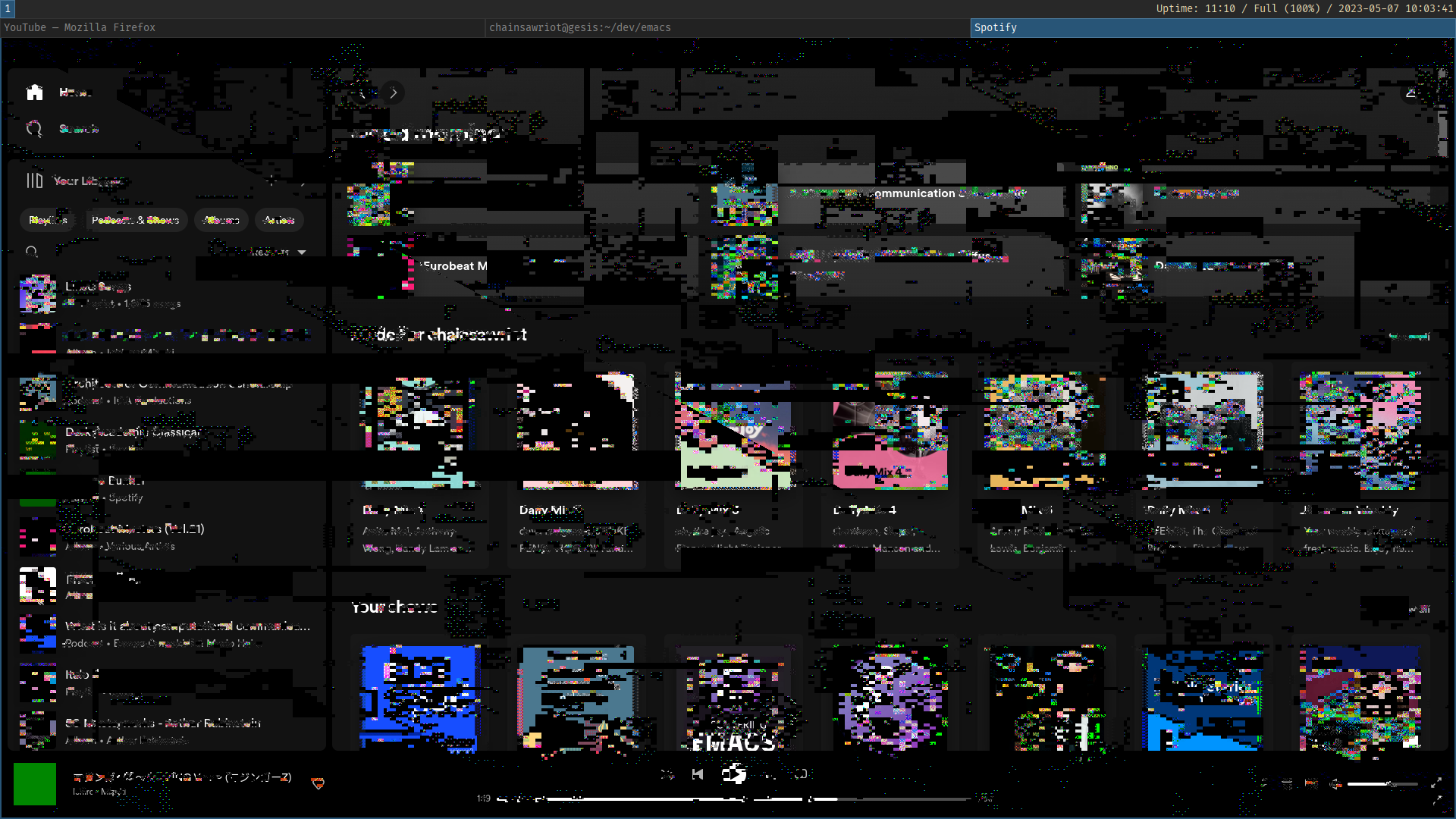
<p>Okay, exactly a week. And the fact that Sway being a Wayland compositor to me and at this time point is not a benefit. Being pure Wayland now (May 2023) is not a good time point because there are still many applications still run in X. Firefox runs fine in Wayland. My vanilla Gnome Terminal runs fine in Wayland. The problems are Spotify and most importantly, emacs. And yes, there is a emulation layer called XWayland. It runs fine for a short time. But if an XWayland application runs for too long, on my machine it goes like this:</p>

<center><img src="https://chainsawriot.com/assets/wayland_die.png" width="900" /></center>

<p>If I am lucky, I can kill it. If I am not lucky, my machine go nuts and reboot randomly. In short, extremely annoying. There are many non-X replacements for Spotify (psst, ncspot etc.). It is not a big issue actually. The main issue is emacs. The upcoming emacs 29 has a pgtk (Pure GTK) branch and a pure GTK emacs is fully Wayland compatible. But I can’t get it run stably on my Ubuntu 22.04 LTS machine, either compiling it from source or using the snap package. The running emacs quits randomly. Again, super annoying.</p>

<p>So, I need to make the switch again. And this time, given the time invested in Sway, I go for its older sister <a href="https://i3wm.org/">i3</a>, which is still an X-based system. As Sway is a i3-compatible WM, the transition to i3 is almost painless. Basically, the only difference is to change all <code class="language-plaintext highlighter-rouge">swaymsg</code> to <code class="language-plaintext highlighter-rouge">i3-msg</code>. Also, the management of output devices (monitors) is managed by the very familiar <code class="language-plaintext highlighter-rouge">xrandr</code>.</p>

<p>I decided that this is my last choice, at least for this year. If it is problematic like the ones I have tried so far (StumpWM, AwesomeWM, xmonad, Sway), I will not switch to another tiling window manager but go back to the regular GNOME. And actually, maybe something like <a href="https://github.com/pop-os/shell">Pop shell</a> is enough.</p>]]></content><author><name>Chung-hong Chan</name></author><category term="postmannheim" /><category term="emacs" /><summary type="html"><![CDATA[This is a relatively quick one, again on the topic of tiling window managers.]]></summary></entry><entry><title type="html">On Sway(WM)</title><link href="https://chainsawriot.com/postmannheim/2023/05/01/sway.html" rel="alternate" type="text/html" title="On Sway(WM)" /><published>2023-05-01T00:00:00+02:00</published><updated>2023-05-01T00:00:00+02:00</updated><id>https://chainsawriot.com/postmannheim/2023/05/01/sway</id><content type="html" xml:base="https://chainsawriot.com/postmannheim/2023/05/01/sway.html"><![CDATA[<p>In order to understand the context of this blog post, I recommend reading the previous <a href="https://chainsawriot.com/postmannheim/2023/03/13/stumpwm.html">blog</a> on <a href="https://stumpwm.github.io/">StumpWM</a>, <a href="https://awesomewm.org/">AwesomeWM</a>, and <a href="https://xmonad.org/">xmonad</a>. But a quick summary is that I need a window manager that can only do two things: (1) can use strange emacs-style key combinations, e.g. <code class="language-plaintext highlighter-rouge">C-. b</code> and (2) can do run-or-raise (run a software if it is not running; raise that software to my attention otherwise). I actually don’t need any tiling because I prefer full screen. Of course, no input lag issue like StumpWM. In the previous blog, I said xmonad fits my use case. Why switch again?</p>

<center><img src="https://chainsawriot.com/assets/sway.png" width="900" /></center>

<p>After using xmonad for over a month, I know that I don’t know enough Haskell to customize it any further. I at least know some Common Lisp and lua to hack StumpWM and AwesomeWM. All of my xmonad “customizations” so far were stealing things off github or guess work. I can’t comprehend my configuration file. Honestly, I have zero intention to learn Haskell just to configure xmonad. Without any Haskell knowledge, it also means that I don’t understand xmonad at all (<a href="https://xmonad.github.io/xmonad-docs/xmonad/XMonad-Config.html">the API documentation</a> is not easy to read without any knowledge in Haskell, for example). Overall, I am not 100% happy with xmonad. For example, I can never get things as fundamental as the darn <code class="language-plaintext highlighter-rouge">xmobar</code> to work on full screen. Also, there is a weird bug related to right click on Firefox (sometimes, the right click contextual menu disappears automatically; can “refresh” it by changing the xmonad layout). I am pretty sure it is an issue of xmonad, but I don’t know enough Haskell to fix it. See, I am such a bad software user.</p>

<p>So now, what’s next? My choice is <a href="https://swaywm.org/">Sway</a>. I think it’s better to write it as SwayWM, because searching for “sway” will probably give you Microsoft Sway. But let’s say Sway more to purge Microsoft’s search engine optimization.</p>

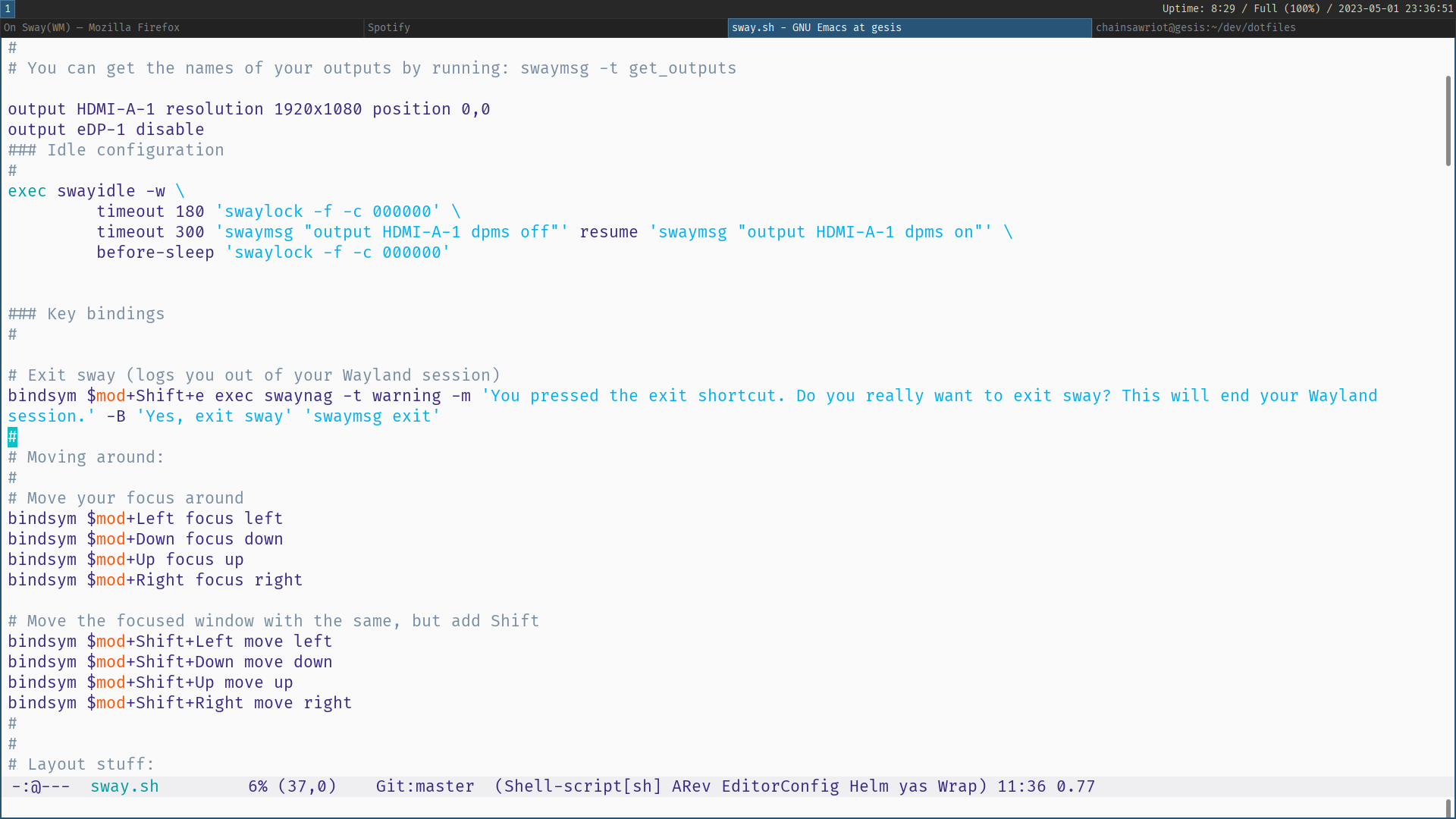
<p>This choice was made mainly because of this insightful post by <a href="https://sigkill.dk/blog/2019-06-30-how-to-make-sway-act-like-ratpoison.html">Troels Henriksen</a>. It actually addresses my first requirement of using strange emacs-style key combinations. A quick summary is this: By default, Sway (and its predecessor <a href="https://i3wm.org/">i3</a>) doesn’t support these emacs-(or Ratpoison-, or GNU Screen-, or Tmux-, or StumpWM-)style key combinations. Similar to AwesomeWM, it uses just one “modifier key” (<code class="language-plaintext highlighter-rouge">$mod</code>), usually gets mapped to the Super key. However, Sway has a VI-like modal configuration, which can be defined to do whatever one wants. Mode can be triggered by a two-key combination such as <code class="language-plaintext highlighter-rouge">C-t</code> (the default of StumpWM and Ratpoison). In order to make a mode works like StumpWM/Ratpoison, the trick is to do an action and then immediately switch back to the “default” mode. In the default configuration file, there is a defined mode called “resize”, which can be triggered by <code class="language-plaintext highlighter-rouge">$mod+r</code>. I can just modify that to make it works for me.</p>

<p>Another requirement is “run-or-raise”. Actually, I’ve come to realize that I actually don’t need to “run-or-raise”. What I need is just “raise” (or in Sway’s lingo: focus), if the program has been started by default. I also find that I only use “run-or-raise” for maybe just 4 things: emacs, firefox, terminal, and Spotify. However, it is still nice if I can have a working implementation of “run-or-raise”. Sway by default doesn’t have native “run-or-raise” support like StumpWM and xmonad. However, as Sway is mainly controlled through messages and there is a shell program called <code class="language-plaintext highlighter-rouge">swaymsg</code> to send those messages, I can emulate “run-or-raise”. For example, to “run or raise” Firefox, I can do this: <code class="language-plaintext highlighter-rouge">exec swaymsg "[app_id=firefox] focus" || exec firefox</code>. It is just like <code class="language-plaintext highlighter-rouge">bash</code>: If sending a message to focus the thing with <code class="language-plaintext highlighter-rouge">app_id=firefox</code> fails (i.e. with a non-zero exit code), execute the shell command <code class="language-plaintext highlighter-rouge">firefox</code>. Functionally, it is just run-or-raise.</p>

<p>I also like the fact that I can discover what I am doing myself. For example, non-Wayland software doesn’t have an <code class="language-plaintext highlighter-rouge">app_id</code> and emacs is one such software. <code class="language-plaintext highlighter-rouge">swaymsg -t get_tree</code> can show me all the relevant information as a json file, representing what Sway is seeing. And <code class="language-plaintext highlighter-rouge">man 5 sway</code> is easy to read (also available <a href="https://man.archlinux.org/man/sway.5.en">online</a>). I am able to experiment things on my shell, like typing: <code class="language-plaintext highlighter-rouge">swaymsg "[instance=emacs] focus"</code>. I have a REPL, similar to StumpWM’s <code class="language-plaintext highlighter-rouge">swank</code>.</p>

<p>In the end, I hack together a “stumpwm” mode in Sway like this and it works quite well for me:</p>

<div class="language-bash highlighter-rouge"><div class="highlight"><pre class="highlight"><code>mode <span class="s2">"stumpwm"</span> <span class="o">{</span>
     bindsym Return mode <span class="s2">"default"</span>
     bindsym Escape mode <span class="s2">"default"</span>
     bindsym g mode <span class="s2">"default"</span>
     bindsym Control+g mode <span class="s2">"default"</span>
     bindsym c <span class="nb">exec</span> <span class="nv">$term</span><span class="p">;</span> mode <span class="s2">"default"</span>
     bindsym f fullscreen<span class="p">;</span> mode <span class="s2">"default"</span>
     bindsym Shift+c reload<span class="p">;</span> mode <span class="s2">"default"</span>
     bindsym bracketright <span class="nb">exec </span>rofi <span class="nt">-modi</span> drun <span class="nt">-show</span> drun<span class="p">;</span> mode <span class="s2">"default"</span>
     bindsym n focus left<span class="p">;</span> mode <span class="s2">"default"</span>
     bindsym p focus right<span class="p">;</span> mode <span class="s2">"default"</span>
     bindsym b <span class="nb">exec </span>swaymsg <span class="s2">"[app_id=firefox] focus"</span> <span class="o">||</span> <span class="nb">exec </span>firefox<span class="p">;</span> mode <span class="s2">"default"</span>
     bindsym e <span class="nb">exec </span>swaymsg <span class="s2">"[instance=emacs] focus"</span> <span class="o">||</span> <span class="nb">exec </span>emacsclient <span class="nt">-c</span><span class="p">;</span> mode <span class="s2">"default"</span>
<span class="o">}</span>
bindsym Control+period mode <span class="s2">"stumpwm"</span>
workspace_layout tabbed
</code></pre></div></div>

<p>Of course, it is not perfect. Unlike StumpWM or xmonad, typing <code class="language-plaintext highlighter-rouge">C-.</code> and then pressing something not defined in the mode still keeps me in the “stumpwm” mode. But one nice thing is that I have some visual clue in the menu bar (thanks god, I have a working menu bar by default!) so that I know I am still in the “stumpwm” mode. I can just quit, by using the emacs panic button <code class="language-plaintext highlighter-rouge">C-g</code> (or <code class="language-plaintext highlighter-rouge">g</code> or Return or Escape).</p>

<p>An added benefit of Sway is that it is a <a href="https://wiki.archlinux.org/title/wayland">Wayland compositor</a> (not X11). So far, I am quite happy with Sway. Let’s see how long this happiness can hold.</p>]]></content><author><name>Chung-hong Chan</name></author><category term="postmannheim" /><category term="emacs" /><summary type="html"><![CDATA[In order to understand the context of this blog post, I recommend reading the previous blog on StumpWM, AwesomeWM, and xmonad. But a quick summary is that I need a window manager that can only do two things: (1) can use strange emacs-style key combinations, e.g. C-. b and (2) can do run-or-raise (run a software if it is not running; raise that software to my attention otherwise). I actually don’t need any tiling because I prefer full screen. Of course, no input lag issue like StumpWM. In the previous blog, I said xmonad fits my use case. Why switch again?]]></summary></entry><entry><title type="html">Advent of emacs #25: How I write a postscript in emacs</title><link href="https://chainsawriot.com/postmannheim/2022/12/25/aoe25.html" rel="alternate" type="text/html" title="Advent of emacs #25: How I write a postscript in emacs" /><published>2022-12-25T00:00:00+01:00</published><updated>2022-12-25T00:00:00+01:00</updated><id>https://chainsawriot.com/postmannheim/2022/12/25/aoe25</id><content type="html" xml:base="https://chainsawriot.com/postmannheim/2022/12/25/aoe25.html"><![CDATA[<p>Bob’s your uncle, I’ve finally done it! On Nov 31, I thought, um… writing 25 blog posts about emacs, how hard can it be?</p>

<p>22,000 words later, now I know: that is like writing two research papers in three weeks. At the same time, I know now that idea is cheap, implementation is king.</p>

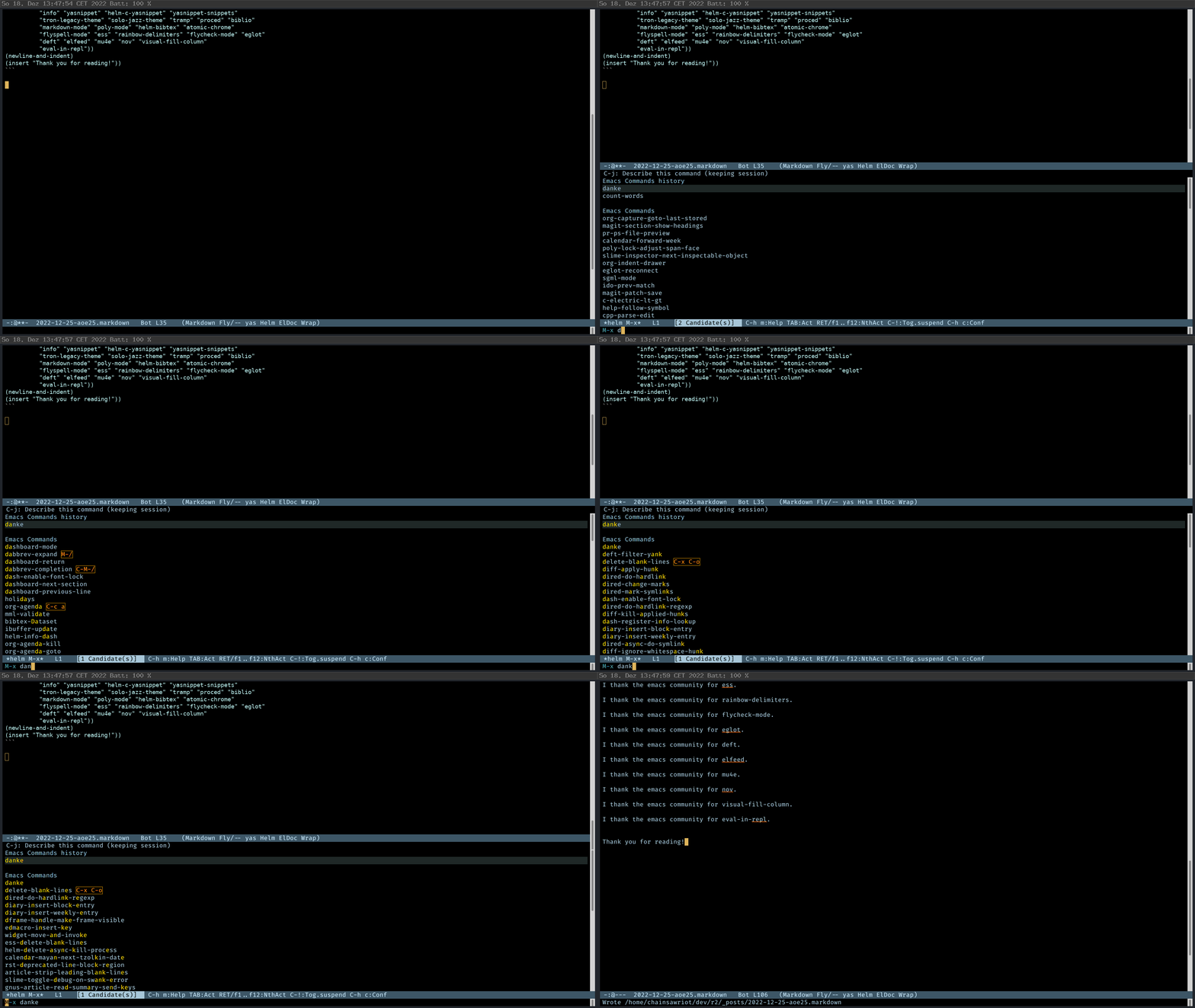
<p>The following program produces a thank you note to the emacs community.</p>

<center><img src="https://chainsawriot.com/assets/aoe25_1.gif" width="900" /></center>

<div class="language-elisp highlighter-rouge"><div class="highlight"><pre class="highlight"><code><span class="p">(</span><span class="nb">defun</span> <span class="nv">danke</span> <span class="p">()</span>
  <span class="p">(</span><span class="nv">interactive</span><span class="p">)</span>
  <span class="p">(</span><span class="nb">mapc</span> <span class="o">'</span><span class="p">(</span><span class="k">lambda</span> <span class="p">(</span><span class="nc">package</span><span class="p">)</span>
		   <span class="p">(</span><span class="k">progn</span>
			 <span class="p">(</span><span class="nv">insert</span> <span class="p">(</span><span class="nv">concat</span> <span class="s">"I thank the emacs community for "</span> <span class="nc">package</span> <span class="s">"."</span><span class="p">))</span>
		   <span class="p">(</span><span class="nv">newline-and-indent</span><span class="p">)</span>
		 <span class="p">(</span><span class="nv">newline-and-indent</span><span class="p">)</span>
		 <span class="p">))</span>
		<span class="o">'</span><span class="p">(</span><span class="s">"package"</span> <span class="s">"use-package"</span> <span class="s">"magit"</span> <span class="s">"quarto-mode"</span> <span class="s">"rust-mode"</span> <span class="s">"helm"</span>
		  <span class="s">"org"</span> <span class="s">"vterm"</span> <span class="s">"ligature"</span> <span class="s">"prettified-symbols-mode"</span> <span class="s">"key-chord"</span>
		  <span class="s">"info"</span> <span class="s">"yasnippet"</span> <span class="s">"helm-c-yasnippet"</span> <span class="s">"yasnippet-snippets"</span>
		  <span class="s">"tron-legacy-theme"</span> <span class="s">"solo-jazz-theme"</span> <span class="s">"tramp"</span> <span class="s">"proced"</span> <span class="s">"biblio"</span>
		  <span class="s">"markdown-mode"</span> <span class="s">"poly-mode"</span> <span class="s">"helm-bibtex"</span> <span class="s">"atomic-chrome"</span>
		  <span class="s">"flyspell-mode"</span> <span class="s">"ess"</span> <span class="s">"rainbow-delimiters"</span> <span class="s">"flycheck-mode"</span> <span class="s">"eglot"</span>
		  <span class="s">"deft"</span> <span class="s">"elfeed"</span> <span class="s">"mu4e"</span> <span class="s">"nov"</span> <span class="s">"visual-fill-column"</span>
		  <span class="s">"eval-in-repl"</span><span class="p">))</span>
<span class="p">(</span><span class="nv">newline-and-indent</span><span class="p">)</span>
<span class="p">(</span><span class="nv">insert</span> <span class="s">"Thank you for reading!"</span><span class="p">))</span>
</code></pre></div></div>

<p>I thank the emacs community for package.</p>

<p>I thank the emacs community for use-package.</p>

<p>I thank the emacs community for magit.</p>

<p>I thank the emacs community for quarto-mode.</p>

<p>I thank the emacs community for rust-mode.</p>

<p>I thank the emacs community for helm.</p>

<p>I thank the emacs community for org.</p>

<p>I thank the emacs community for vterm.</p>

<p>I thank the emacs community for ligature.</p>

<p>I thank the emacs community for prettified-symbols-mode.</p>

<p>I thank the emacs community for key-chord.</p>

<p>I thank the emacs community for info.</p>

<p>I thank the emacs community for yasnippet.</p>

<p>I thank the emacs community for helm-c-yasnippet.</p>

<p>I thank the emacs community for yasnippet-snippets.</p>

<p>I thank the emacs community for tron-legacy-theme.</p>

<p>I thank the emacs community for solo-jazz-theme.</p>

<p>I thank the emacs community for tramp.</p>

<p>I thank the emacs community for proced.</p>

<p>I thank the emacs community for biblio.</p>

<p>I thank the emacs community for markdown-mode.</p>

<p>I thank the emacs community for poly-mode.</p>

<p>I thank the emacs community for helm-bibtex.</p>

<p>I thank the emacs community for atomic-chrome.</p>

<p>I thank the emacs community for flyspell-mode.</p>

<p>I thank the emacs community for ess.</p>

<p>I thank the emacs community for rainbow-delimiters.</p>

<p>I thank the emacs community for flycheck-mode.</p>

<p>I thank the emacs community for eglot.</p>

<p>I thank the emacs community for deft.</p>

<p>I thank the emacs community for elfeed.</p>

<p>I thank the emacs community for mu4e.</p>

<p>I thank the emacs community for nov.</p>

<p>I thank the emacs community for visual-fill-column.</p>

<p>I thank the emacs community for eval-in-repl.</p>

<p>Thank you for reading! <sup id="fnref:end" role="doc-noteref"><a href="#fn:end" class="footnote" rel="footnote">1</a></sup> <sup id="fnref:end2" role="doc-noteref"><a href="#fn:end2" class="footnote" rel="footnote">2</a></sup></p>

<hr />

<div class="footnotes" role="doc-endnotes">
  <ol>
    <li id="fn:end" role="doc-endnote">
      <p>As the final footnote of this series: On <a href="https://chainsawriot.com/postmannheim/2022/12/17/aoe17.html">day 17</a>, I said I should make ess-rproj a minor mode. It’s now really a <a href="https://github.com/chainsawriot/ess-rproj">minor mode</a>. <a href="#fnref:end" class="reversefootnote" role="doc-backlink">&#8617;</a></p>
    </li>
    <li id="fn:end2" role="doc-endnote">
      <p>I think I need one more footnote: I hope that there would be a tool to edit animated gif in emacs. byzanaz-record was used to record all gifs in this series. But I can’t find a good visual tool to edit those gifs. I have tried to hack together a Shiny app for editing gifs, but the magick R package threw me a lot of segfaults. I ended up using the online editor ezgif. Also, I should have use a tool such as screenkey which displays the keys that I have typed. <a href="#fnref:end2" class="reversefootnote" role="doc-backlink">&#8617;</a></p>
    </li>
  </ol>
</div>]]></content><author><name>Chung-hong Chan</name></author><category term="postmannheim" /><category term="emacs" /><summary type="html"><![CDATA[Bob’s your uncle, I’ve finally done it! On Nov 31, I thought, um… writing 25 blog posts about emacs, how hard can it be?]]></summary></entry><entry><title type="html">Advent of emacs #24: How I approach emacs</title><link href="https://chainsawriot.com/postmannheim/2022/12/24/aoe24.html" rel="alternate" type="text/html" title="Advent of emacs #24: How I approach emacs" /><published>2022-12-24T00:00:00+01:00</published><updated>2022-12-24T00:00:00+01:00</updated><id>https://chainsawriot.com/postmannheim/2022/12/24/aoe24</id><content type="html" xml:base="https://chainsawriot.com/postmannheim/2022/12/24/aoe24.html"><![CDATA[<blockquote>
  <p>He’s the one, who likes all our pretty songs. And he likes to sing along. And he likes to shoot his gun. But he knows not what it means, knows not what it means</p>
</blockquote>

<p>This one is actually pretty difficult to write, because I need to tell you how I feel about emacs. But before I start, I need to stress it again: I am a mediocre researcher at best and an unskilled programmer. As I said, I am <a href="https://chainsawriot.com/postmannheim/2022/12/21/aoe21.html">an emacs poseur</a>. There are many emacs opinion leaders you can listen to and I am not one of those people. The content of this webpage is not an investment advice and does not constitute any offer or solicitation to offer or recommendation of any investment product. Go away and I wish you a merry Christmas. <em>Pfiatdi</em>!</p>

<p>If you don’t go —well— I am going to say something that is not pleasing to your ears.</p>

<p>First thing you might notice from all 23 previous posts is that my emacs lisp sucks. I don’t write in a way that is idiomatic and there must be “correct” slash “better” ways to achieve what I wanted to do. Sure enough, <em>mea culpa</em>. But I also wanted to say that those hacky emacs lisp snippets work for my purposes. I don’t need to write “correct” or “better” emacs lisp. I just need to write some useful emacs lisp that can facilitate what I do. As I said many times, my main job is doing research and writing academic papers; not even writing R code; and <strong>absolutely not</strong> writing emacs lisp.</p>

<p>I always like the motto “learning enough x to be dangerous”. I have something that I really want to focus on, say developing the next best automated content analytic method or making social sciences adhere better to the modern concept of open science. But writing “better” emacs lisp is not a thing I want to focus on. I just want to know enough emacs lisp to be dangerous. Or put it less flamboyantly, to know enough emacs lisp so that I can use emacs comfortably. Do I need to know how to write generators, macros, and recursive functions in emacs lisp? It would be nice if I am with all of these tricks. But I can do well enough without. Ignorance is not bliss. But ignorance sometimes helps me to focus.</p>

<p>Unlike many people, I know my attention is finite and there are <a href="https://chainsawriot.com/mannheim/2020/08/01/sideproject.html">many things want to steal my attention and time</a>. Being able to focus is the only tool for me to excel at the things I want to be good at. I am in my 40s. In my language context, we say: “my one leg is already in coffin”. I am no longer a budding young person who can make infinite number of commitments to learn everything. I need to make compromises. <sup id="fnref:assassination" role="doc-noteref"><a href="#fn:assassination" class="footnote" rel="footnote">1</a></sup></p>

<p>Sure, I need some good tools to do my job but I am certainly not a toolsmith. Is writing emacs lisp fun? Of course it is. And therefore it is quite easy to fall into the trap of writing and rewriting one’s emacs configuration file. For me, investing too much time in toolsmithing is actually procrastination (unless I am a professional toolsmith). Good cooks want to have a good <em>Santoku</em>. But what makes good cooks good cooks is not which <em>Santoku</em> they have, certainly not which <em>Santoku</em> they forged themselves <sup id="fnref:toomuch" role="doc-noteref"><a href="#fn:toomuch" class="footnote" rel="footnote">2</a></sup>. The same way <a href="https://www.slideshare.net/yukihiro_matz/how-emacs-changed-my-life">Yukihiro Matsumoto</a>, Donald Knuth, Rich Hickey, Peter Norvig, Jamie Zawinski are (Guido van Rossum was) emacs users, but they are not known for being emacs users. Even Richard Stallman, the author of GNU emacs, is not known for being an emacs user!</p>

<p>I am a scientist. I don’t say a thing is better because I <em>believe</em> in that thing. I am certainly not a <a href="https://chainsawriot.com/mannheim/2022/05/11/introduce.html">fan boy or something like that</a>. I use emacs because I can get my job done with it. The same way a biologist uses an electron microscope or a physicist uses The Large Hadron Collider. Of course, with many other tools I could also get my job done too. VS Code, Neovim, RStudio, JetBrains, you name it. Again, I don’t <em>believe</em> in things; but I <em>evaluate</em> things. From my evaluation, emacs is the most suitable tool. There must be the factor of path dependency here (I have been using emacs for almost 2 decades.) But I know the most important feature of emacs is the freedom it gives me. For example, no vendor of editors would say pressing <code class="language-plaintext highlighter-rouge">C-q</code> repetitively makes any sense. But I have <a href="https://chainsawriot.com/postmannheim/2022/12/23/aoe23.html">that freedom</a>. Also, not all the tools have the freedom for me to create a minimal interface. emacs provides me that <a href="https://chainsawriot.com/postmannheim/2022/12/22/aoe22.html">freedom too</a>.</p>

<p>I rarely address to you, my dearest readers. But if you really need my advice on “learning” emacs, my advice is to hack your emacs <strong>NOW</strong> with the <a href="https://chainsawriot.com/postmannheim/2022/12/08/aoe8.html">“self-documentation”</a> as your guide —Like I did in the previous 23 posts—, instead of pursuing the hypothetical adventure of “learning emacs (lisp)”. From my experience as an educator, learning a programming language for the sake of learning a programming language destines to futile <sup id="fnref:learning" role="doc-noteref"><a href="#fn:learning" class="footnote" rel="footnote">3</a></sup>. You won’t need to “learn emacs lisp” to start hacking emacs. You learn enough emacs (lisp) <strong>by</strong> hacking emacs. No one knows your need. The emacs configuration you hack together may not be “better” in someone else’s opinion, but that’s what suits you.</p>

<p>Before I go, I will talk about the background information for one last time. Mostly about the emacs lisp constructs which I have used but had no chance to explain.</p>

<h2 id="lists">Lists</h2>

<p>Lists are often used in customizing emacs. Unlike many lisp books to talk about con cells, <code class="language-plaintext highlighter-rouge">car</code>, <code class="language-plaintext highlighter-rouge">cdr</code>, recursion or things like that, I just want to tell you two things about lists.</p>

<p>There are actually three types of lists in emacs lisp. But I just want to talk about regular list and alist. A regular list is what one would expect like the list in Python or array in Javascript.</p>

<div class="language-elisp highlighter-rouge"><div class="highlight"><pre class="highlight"><code><span class="p">(</span><span class="k">setq</span> <span class="nv">languages</span> <span class="o">'</span><span class="p">(</span><span class="s">"python"</span> <span class="s">"r"</span> <span class="s">"javascript"</span> <span class="s">"elisp"</span> <span class="s">"C++"</span><span class="p">))</span>
<span class="p">(</span><span class="nb">nth</span> <span class="mi">2</span> <span class="nv">languages</span><span class="p">)</span> <span class="c1">;; javascript</span>
</code></pre></div></div>

<p>Association list (alist) is a list but more like dict (hash table) in Python. It can record key-value pairs</p>

<div class="language-elisp highlighter-rouge"><div class="highlight"><pre class="highlight"><code><span class="p">(</span><span class="k">setq</span> <span class="nv">creators</span> <span class="o">'</span><span class="p">((</span><span class="nv">Python</span> <span class="o">.</span> <span class="s">"Guido van Rossum"</span><span class="p">)</span>
				 <span class="p">(</span><span class="nv">C++</span> <span class="o">.</span> <span class="s">"Bjarne Stroustrup"</span><span class="p">)</span>
				 <span class="p">(</span><span class="nv">Perl</span> <span class="o">.</span> <span class="s">"Larry Wall"</span><span class="p">)</span>
				 <span class="p">(</span><span class="nv">Ruby</span> <span class="o">.</span> <span class="s">"Yukihiro Matsumoto"</span><span class="p">)))</span>
<span class="p">(</span><span class="nb">assoc</span> <span class="ss">'Ruby</span> <span class="nv">creators</span><span class="p">)</span> <span class="c1">;; give a key-value pair</span>
<span class="p">(</span><span class="nb">cdr</span> <span class="p">(</span><span class="nb">assoc</span> <span class="ss">'Ruby</span> <span class="nv">creators</span><span class="p">))</span> <span class="c1">;; just "Yukihiro Matsumoto"</span>
</code></pre></div></div>

<p>alist is being used a lot in configuration. This is an example:</p>

<div class="language-elisp highlighter-rouge"><div class="highlight"><pre class="highlight"><code><span class="p">(</span><span class="nb">use-package</span> <span class="nv">atomic-chrome</span>
  <span class="ss">:config</span>
  <span class="p">(</span><span class="nv">atomic-chrome-start-server</span><span class="p">)</span>
  <span class="p">(</span><span class="k">setq</span> <span class="nv">atomic-chrome-buffer-open-style</span> <span class="ss">'full</span><span class="p">)</span>
  <span class="p">(</span><span class="k">setq</span> <span class="nv">atomic-chrome-url-major-mode-alist</span>
		<span class="o">'</span><span class="p">((</span><span class="s">"github\\.com"</span> <span class="o">.</span> <span class="nv">poly-markdown+r-mode</span><span class="p">)</span>
		  <span class="p">(</span><span class="s">"overleaf\\.com"</span> <span class="o">.</span> <span class="nv">latex-mode</span><span class="p">)))</span>
  <span class="p">)</span>
</code></pre></div></div>

<p>The <code class="language-plaintext highlighter-rouge">:bind</code> syntax of <code class="language-plaintext highlighter-rouge">use-package</code> also uses an alist.</p>

<div class="language-elisp highlighter-rouge"><div class="highlight"><pre class="highlight"><code><span class="p">(</span><span class="nb">use-package</span> <span class="nv">ess</span>
  <span class="ss">:bind</span> <span class="p">(</span>
	     <span class="ss">:map</span> <span class="nv">ess-r-mode-map</span> 
			  <span class="p">(</span><span class="s">"_"</span> <span class="o">.</span> <span class="ss">'ess-insert-assign</span><span class="p">)</span>
			  <span class="p">(</span><span class="s">"C-q"</span> <span class="o">.</span> <span class="ss">'ess-eval-region-or-line-and-step</span><span class="p">)</span>
			  <span class="p">(</span><span class="s">"C-c C-k"</span> <span class="o">.</span> <span class="ss">'ess-request-a-process</span><span class="p">)</span>
			  <span class="ss">:map</span> <span class="nv">inferior-ess-r-mode-map</span> 
			  <span class="p">(</span><span class="s">"_"</span> <span class="o">.</span> <span class="ss">'ess-insert-assign</span><span class="p">))</span>
  <span class="p">)</span>
</code></pre></div></div>

<h2 id="setq-and-let">setq and let</h2>

<p>I want to make sure you know the difference between <code class="language-plaintext highlighter-rouge">setq</code> and <code class="language-plaintext highlighter-rouge">let</code>, although you probably know it already. Both of them create variable bindings, whereas <code class="language-plaintext highlighter-rouge">setq</code> can also be used to mutate the value of a variable.</p>

<p>First, it is possible to make multiple bindings with one single <code class="language-plaintext highlighter-rouge">setq</code>.</p>

<div class="language-elisp highlighter-rouge"><div class="highlight"><pre class="highlight"><code><span class="p">(</span><span class="k">setq</span> <span class="nv">x</span> <span class="mi">123</span> <span class="nv">y</span> <span class="mi">100</span><span class="p">)</span>
<span class="p">(</span><span class="nb">-</span> <span class="nv">x</span> <span class="nv">y</span><span class="p">)</span> <span class="c1">;; 23</span>
<span class="p">(</span><span class="k">setq</span> <span class="nv">x</span> <span class="mi">100</span><span class="p">)</span>
<span class="p">(</span><span class="nb">-</span> <span class="nv">x</span> <span class="nv">y</span><span class="p">)</span> <span class="c1">;; 0</span>
</code></pre></div></div>

<p><code class="language-plaintext highlighter-rouge">let</code> creates some local bindings that are valid only within the body (the local scope; or the <a href="https://developer.mozilla.org/en-US/docs/Web/JavaScript/Reference/Statements/block">block scope</a>, if you prefer the Javascript term). Outside of the body (the closing paren of <em>let</em>), those bindings are not available.</p>

<div class="language-elisp highlighter-rouge"><div class="highlight"><pre class="highlight"><code><span class="p">(</span><span class="k">let</span> <span class="p">((</span><span class="nv">pi-approx</span> <span class="p">(</span><span class="nb">/</span> <span class="mi">22</span> <span class="mi">7</span><span class="p">)))</span>
	<span class="p">(</span><span class="nb">-</span> <span class="nv">pi-approx</span> <span class="nv">pi</span><span class="p">))</span> <span class="c1">;; -0.14 </span>
<span class="nv">pi-approx</span> <span class="c1">;; error</span>
</code></pre></div></div>

<h2 id="conditionals">Conditionals</h2>

<p>There are several ways to do conditional jump. I’ve heard that true lispers use only <code class="language-plaintext highlighter-rouge">cond</code>. But I don’t buy it.</p>

<p><code class="language-plaintext highlighter-rouge">if</code> is usually used when one wants to have “if - then - else”. A clause is one S-expression.</p>

<div class="language-elisp highlighter-rouge"><div class="highlight"><pre class="highlight"><code><span class="p">(</span><span class="k">let</span> <span class="p">((</span><span class="nv">age</span> <span class="mi">41</span><span class="p">))</span>
	<span class="p">(</span><span class="k">if</span> <span class="p">(</span><span class="nb">&lt;</span> <span class="nv">age</span> <span class="mi">40</span><span class="p">)</span> <span class="c1">;; predicate</span>
		<span class="p">(</span><span class="nv">message</span> <span class="s">"You are young"</span><span class="p">)</span> <span class="c1">;; then clause</span>
		<span class="p">(</span><span class="nv">message</span> <span class="s">"You are old"</span><span class="p">)))</span> <span class="c1">;; else clause</span>
</code></pre></div></div>

<p><code class="language-plaintext highlighter-rouge">when</code> is used when one doesn’t want to have the else clause. The following returns <code class="language-plaintext highlighter-rouge">nil</code>.</p>

<div class="language-elisp highlighter-rouge"><div class="highlight"><pre class="highlight"><code><span class="p">(</span><span class="k">let</span> <span class="p">((</span><span class="nv">age</span> <span class="mi">41</span><span class="p">))</span>
	<span class="p">(</span><span class="nb">when</span> <span class="p">(</span><span class="nb">&lt;</span> <span class="nv">age</span> <span class="mi">40</span><span class="p">)</span>
	<span class="p">(</span><span class="nv">message</span> <span class="s">"You are young"</span><span class="p">)))</span>
</code></pre></div></div>

<p><code class="language-plaintext highlighter-rouge">unless</code> is the reverse of <code class="language-plaintext highlighter-rouge">when</code>.</p>

<div class="language-elisp highlighter-rouge"><div class="highlight"><pre class="highlight"><code><span class="p">(</span><span class="k">let</span> <span class="p">((</span><span class="nv">age</span> <span class="mi">41</span><span class="p">))</span>
<span class="p">(</span><span class="nb">unless</span> <span class="p">(</span><span class="nb">&gt;=</span> <span class="nv">age</span> <span class="mi">40</span><span class="p">)</span>
	<span class="p">(</span><span class="nv">message</span> <span class="s">"You are young"</span><span class="p">)))</span>
</code></pre></div></div>

<p>True lispers may only use <code class="language-plaintext highlighter-rouge">cond</code>. But there are reasons why the above syntactic sugars (<code class="language-plaintext highlighter-rouge">if</code>, <code class="language-plaintext highlighter-rouge">when</code>, <code class="language-plaintext highlighter-rouge">unless</code>) of <code class="language-plaintext highlighter-rouge">cond</code> exist.</p>

<div class="language-elisp highlighter-rouge"><div class="highlight"><pre class="highlight"><code><span class="p">(</span><span class="k">let</span> <span class="p">((</span><span class="nv">age</span> <span class="mi">41</span><span class="p">))</span>
	<span class="p">(</span><span class="nb">cond</span> <span class="p">((</span><span class="nb">&lt;</span> <span class="nv">age</span> <span class="mi">40</span><span class="p">)</span> <span class="p">(</span><span class="nv">message</span> <span class="s">"You are young"</span><span class="p">))</span>
		<span class="p">(</span><span class="no">t</span> <span class="p">(</span><span class="nv">message</span> <span class="s">"You are old"</span><span class="p">))))</span>
</code></pre></div></div>

<h2 id="progn">progn</h2>

<p>In other programming languages, blocks are used to run multiple lines of code conditionally. For example, the curly braces in the following Rust program create blocks.</p>

<div class="language-rust highlighter-rouge"><div class="highlight"><pre class="highlight"><code><span class="k">let</span> <span class="n">age</span> <span class="o">=</span> <span class="mi">41</span><span class="p">;</span>
<span class="k">let</span> <span class="n">compensation</span> <span class="o">=</span>
    <span class="k">if</span> <span class="n">age</span> <span class="o">&gt;=</span> <span class="mi">40</span> <span class="p">{</span>
        <span class="nd">println!</span><span class="p">(</span><span class="s">"You are old. I'll give you more compensation."</span><span class="p">);</span>
            <span class="n">age</span> <span class="o">*</span> <span class="mf">20.0</span>
        <span class="p">}</span> <span class="k">else</span> <span class="p">{</span>
            <span class="nd">println!</span><span class="p">(</span><span class="s">"You are young. You don't need that much compensation."</span><span class="p">);</span>
            <span class="n">age</span> <span class="o">*</span> <span class="mf">0.5</span>
    <span class="p">};</span>
<span class="nd">println!</span><span class="p">(</span><span class="s">"You receive {}€ in compensation."</span><span class="p">,</span> <span class="n">compensation</span><span class="p">);</span>
</code></pre></div></div>

<p><code class="language-plaintext highlighter-rouge">if</code> in emacs lisp takes just one S-expression (sexp) as a clause, not a block. What is one sexp? This is one sexp: <code class="language-plaintext highlighter-rouge">(message "hello")</code>. This is also one sexp: <code class="language-plaintext highlighter-rouge">(message "%f" (/ 22.0 7))</code>. But here are two sexps: <code class="language-plaintext highlighter-rouge">(setq approx-pi (/ 22.0 7)) (message "%f" approx-pi)</code>. If you enter it in <code class="language-plaintext highlighter-rouge">ielm</code>, the output is an error:</p>

<center><img src="https://chainsawriot.com/assets/aoe24_1.png" width="600" /></center>

<p><code class="language-plaintext highlighter-rouge">progn</code> is used to create the equivalent of a block by combining multiple sexps into one. There are actually several of this kind of <code class="language-plaintext highlighter-rouge">progn</code> functions (<code class="language-plaintext highlighter-rouge">progn</code>, <code class="language-plaintext highlighter-rouge">progn1</code>, <code class="language-plaintext highlighter-rouge">progn2</code>…). Let’s focus on <code class="language-plaintext highlighter-rouge">progn</code>. This runs fine in <code class="language-plaintext highlighter-rouge">ielm</code>.</p>

<div class="language-elisp highlighter-rouge"><div class="highlight"><pre class="highlight"><code><span class="p">(</span><span class="k">progn</span> <span class="p">(</span><span class="k">setq</span> <span class="nv">approx-pi</span> <span class="p">(</span><span class="nb">/</span> <span class="mf">22.0</span> <span class="mi">7</span><span class="p">))</span> <span class="p">(</span><span class="nv">message</span> <span class="s">"%f"</span> <span class="nv">approx-pi</span><span class="p">))</span>
</code></pre></div></div>

<p><code class="language-plaintext highlighter-rouge">progn</code> runs all S-expressions but only return the last value.</p>

<div class="language-elisp highlighter-rouge"><div class="highlight"><pre class="highlight"><code><span class="p">(</span><span class="k">progn</span>
  <span class="p">(</span><span class="nb">/</span> <span class="mf">1.0</span> <span class="mi">2</span> <span class="p">)</span>
  <span class="p">(</span><span class="nb">/</span> <span class="mi">9</span> <span class="mi">3</span><span class="p">)</span>
  <span class="p">(</span><span class="nb">/</span> <span class="mf">22.0</span> <span class="mi">7</span><span class="p">))</span>
</code></pre></div></div>

<p>The above rust program can be expressed in emacs lisp as <sup id="fnref:letstar" role="doc-noteref"><a href="#fn:letstar" class="footnote" rel="footnote">4</a></sup>:</p>

<div class="language-elisp highlighter-rouge"><div class="highlight"><pre class="highlight"><code><span class="p">(</span><span class="k">let*</span> <span class="p">((</span><span class="nv">age</span> <span class="mi">41</span><span class="p">)</span>
	<span class="p">(</span><span class="nv">compensation</span> 
		<span class="p">(</span><span class="k">if</span> <span class="p">(</span><span class="nb">&gt;=</span> <span class="nv">age</span> <span class="mi">40</span><span class="p">)</span>
			<span class="p">(</span><span class="k">progn</span>
				<span class="p">(</span><span class="nv">message</span> <span class="s">"You are old. I'll give you more compensation."</span><span class="p">)</span>
				<span class="p">(</span><span class="nb">*</span> <span class="nv">age</span> <span class="mf">20.0</span><span class="p">))</span>
			<span class="p">(</span><span class="k">progn</span>
				<span class="p">(</span><span class="nv">message</span> <span class="s">"You are young. You don't need that much compensation."</span><span class="p">)</span>
				<span class="p">(</span><span class="nb">*</span> <span class="nv">age</span> <span class="mf">0.5</span><span class="p">))</span>
			<span class="p">)))</span>
	<span class="p">(</span><span class="nv">message</span> <span class="s">"You receive %f€ in compensation."</span> <span class="nv">compensation</span><span class="p">))</span>
</code></pre></div></div>

<hr />

<div class="footnotes" role="doc-endnotes">
  <ol>
    <li id="fn:assassination" role="doc-endnote">
      <p>On a historical note: History tells us that the victims of political attacks are often devotees who make compromises, not the people in the political extremes. It is because people who make compromises are perceived as disloyal and can be easily sold. In reality, many people —even extremists— make compromises in private and of course also, in silence. So the real targets of political attacks are usually people who voice out their compromises in public. In an opinion climate like this, people tend to express a more extreme form of their political opinion in public, or remain silence (See Elisabeth Noelle-Neumann’s <a href="https://noelle-neumann.de/scientific-work/spiral-of-silence/">spiral of silence</a>). Therefore, it’s unwise, like me, to make my compromises public like this. Also, it won’t score me points among the potential readers of this piece. <a href="#fnref:assassination" class="reversefootnote" role="doc-backlink">&#8617;</a></p>
    </li>
    <li id="fn:toomuch" role="doc-endnote">
      <p>I also know that the community isn’t sustainable if all of us think like me. So, I should learn enough toolsmithing to make something. But you don’t need to know a lot to do that. <a href="#fnref:toomuch" class="reversefootnote" role="doc-backlink">&#8617;</a></p>
    </li>
    <li id="fn:learning" role="doc-endnote">
      <p>For example, I can tell from the outset that if a person says “I am learning R”, this person has a 80% chance of not using R anymore. However, if a person says “I am trying to do data analysis with R”, the chance is probably 10%. The same way goes with “I am learning C++” and “I am trying to optimize my existing R code by rewriting some parts of it in C++”. <a href="#fnref:learning" class="reversefootnote" role="doc-backlink">&#8617;</a></p>
    </li>
    <li id="fn:letstar" role="doc-endnote">
      <p>I don’t have a chance to explain <code class="language-plaintext highlighter-rouge">let*</code>. <code class="language-plaintext highlighter-rouge">let</code> does all bindings at the same time, whereas <code class="language-plaintext highlighter-rouge">let*</code> does bindings one by one. In this case <code class="language-plaintext highlighter-rouge">let*</code> is needed because I need to use <code class="language-plaintext highlighter-rouge">age</code> in the letting of <code class="language-plaintext highlighter-rouge">compensation</code>. Also, don’t argue with me about the mutability status of the two variables <code class="language-plaintext highlighter-rouge">age</code> and <code class="language-plaintext highlighter-rouge">compensation</code> is not the same as the Rust program. I am not good at proving the equivalency of two programs. <a href="#fnref:letstar" class="reversefootnote" role="doc-backlink">&#8617;</a></p>
    </li>
  </ol>
</div>]]></content><author><name>Chung-hong Chan</name></author><category term="postmannheim" /><category term="emacs" /><summary type="html"><![CDATA[He’s the one, who likes all our pretty songs. And he likes to sing along. And he likes to shoot his gun. But he knows not what it means, knows not what it means]]></summary></entry><entry><title type="html">Advent of emacs #23: How I do many things with C-q in emacs</title><link href="https://chainsawriot.com/postmannheim/2022/12/23/aoe23.html" rel="alternate" type="text/html" title="Advent of emacs #23: How I do many things with C-q in emacs" /><published>2022-12-23T00:00:00+01:00</published><updated>2022-12-23T00:00:00+01:00</updated><id>https://chainsawriot.com/postmannheim/2022/12/23/aoe23</id><content type="html" xml:base="https://chainsawriot.com/postmannheim/2022/12/23/aoe23.html"><![CDATA[<p>On day 2, I talked about command discoverability and the pointlessness of memorizing key combinations. I also talked a bit about <code class="language-plaintext highlighter-rouge">global-set-key</code> on day 2 and <a href="https://chainsawriot.com/postmannheim/2022/12/07/aoe7.html">keymaps</a> on day7. This is an additional point to the topic.</p>

<p>Many default key configurations are transferable. For example, “dired-like” modes have similar key configurations (e.g. “g” for <code class="language-plaintext highlighter-rouge">revert-buffer</code>). I usually think along the same line when I assign my keys. I have a motto: For any given mode, find out the most frequently used command (besides cursor movement) and then assign the key combination <code class="language-plaintext highlighter-rouge">C-q</code> to that command.</p>

<p>You might ask: why <code class="language-plaintext highlighter-rouge">C-q</code>? First, <code class="language-plaintext highlighter-rouge">C-q</code> is close to <code class="language-plaintext highlighter-rouge">C-w</code> and <code class="language-plaintext highlighter-rouge">C-a</code>, both are frequently used key combinations. Second, I actually don’t understand what the command originally mapped to <code class="language-plaintext highlighter-rouge">C-q</code> (<code class="language-plaintext highlighter-rouge">quoted-insert</code>) does. Okay, I admit that I am lying. I know what <code class="language-plaintext highlighter-rouge">quoted-insert</code> does, but I actually don’t use the command.</p>

<p>Okay, okay, I am lying again. I actually read it somewhere that someone binds <code class="language-plaintext highlighter-rouge">C-q</code> to <code class="language-plaintext highlighter-rouge">ess-eval-region-or-line-and-step</code>. The <a href="https://en.wikipedia.org/wiki/False_memory#Mandela_Effect">Mandela Effect</a> kicks in. I thought that I read it somewhere in the <a href="https://github.com/MilesMcBain/esscss">Emacs Speaks Statistics Config Share Space</a> and specifically from Kara Woo’s <a href="https://github.com/karawoo/prelude/blob/db60a8e448757b1e07b7323e411c3d5d4d1b7d45/personal/custom.el">configuration</a>. But I was wrong. Actually, I <a href="https://en.wikipedia.org/wiki/Cargo_cult_programming">“cargo-culted”</a> key chords from her configuration (see <a href="https://chainsawriot.com/postmannheim/2022/12/07/aoe7.html">day 7</a>). Upon some searching on Github, I can only see that Github user <a href="https://github.com/mt-christo/ej">mt-christo</a> assigns <code class="language-plaintext highlighter-rouge">C-q</code> to <code class="language-plaintext highlighter-rouge">ess-eval-region-or-line-and-step</code>. I probably copied it from there.</p>

<h2 id="ess-eval-region-or-line-and-step-and-eval-in-repl">ess-eval-region-or-line-and-step and eval-in-repl</h2>

<p>By ESS’ default, <code class="language-plaintext highlighter-rouge">C-RET</code> maps to <code class="language-plaintext highlighter-rouge">ess-eval-region-or-line-and-step</code>. And it is similar to RStudio. But <code class="language-plaintext highlighter-rouge">C-RET</code> isn’t ideal because it clashes with many things <sup id="fnref:terminal" role="doc-noteref"><a href="#fn:terminal" class="footnote" rel="footnote">1</a></sup>. And I really needed to remap it. And <code class="language-plaintext highlighter-rouge">C-q</code> is my choice.</p>

<center><img src="https://chainsawriot.com/assets/aoe23_1.gif" width="1200" /></center>

<p>I want to take this opportunity to praise the ESS team for coming up with the command <code class="language-plaintext highlighter-rouge">ess-eval-region-or-line-and-step</code>. It is an extremely effective command. For a long time, I used <code class="language-plaintext highlighter-rouge">ess-eval-region</code> (<code class="language-plaintext highlighter-rouge">C-c C-r</code>) and <code class="language-plaintext highlighter-rouge">ess-eval-line</code> (<code class="language-plaintext highlighter-rouge">C-c C-j</code>). But the step part of the command <code class="language-plaintext highlighter-rouge">ess-eval-region-or-line-and-step</code> makes it <em>wunderbar</em>. It jumps to the next line of code automatically! So, I can just repeatedly press <code class="language-plaintext highlighter-rouge">C-q</code> when I want to eval a whole page of R code one line at a time.</p>

<p><a href="https://github.com/kaz-yos/eval-in-repl">eval-in-repl</a> by Kazuki Yoshida et al provides the same <code class="language-plaintext highlighter-rouge">ess-eval-region-or-line-and-step</code> experience to many different languages. For example, I can have the same experience to eval emacs lisp code in <code class="language-plaintext highlighter-rouge">ielm</code>. My key combination, well, of course is also <code class="language-plaintext highlighter-rouge">C-q</code>.</p>

<div class="language-elisp highlighter-rouge"><div class="highlight"><pre class="highlight"><code><span class="p">(</span><span class="nb">use-package</span> <span class="nv">eval-in-repl</span>
  <span class="ss">:bind</span> <span class="p">(</span>
		 <span class="ss">:map</span> <span class="nv">emacs-lisp-mode-map</span>
			  <span class="p">(</span><span class="s">"C-q"</span> <span class="o">.</span> <span class="ss">'eir-eval-in-ielm</span><span class="p">)</span>
			  <span class="ss">:map</span> <span class="nv">lisp-interaction-mode-map</span>
			  <span class="p">(</span><span class="s">"C-q"</span> <span class="o">.</span> <span class="ss">'eir-eval-in-ielm</span><span class="p">)</span>
			  <span class="ss">:map</span> <span class="nv">Info-mode-map</span>
			  <span class="p">(</span><span class="s">"C-q"</span> <span class="o">.</span> <span class="ss">'eir-eval-in-ielm</span><span class="p">))</span>
  <span class="ss">:config</span>
  <span class="p">(</span><span class="nb">require</span> <span class="ss">'eval-in-repl-ielm</span><span class="p">)</span>
  <span class="ss">:init</span>
  <span class="p">(</span><span class="k">setq</span> <span class="nv">eir-ielm-eval-in-current-buffer</span> <span class="no">t</span><span class="p">)</span>
  <span class="p">)</span>
</code></pre></div></div>

<center><img src="https://chainsawriot.com/assets/aoe23_2.gif" width="1200" /></center>

<h2 id="one-key-combination-to-rule-them-all">One key combination to rule them all</h2>

<p>Because my brain has been hardwired to pressing <code class="language-plaintext highlighter-rouge">C-q</code>, I add <code class="language-plaintext highlighter-rouge">C-q</code> to many modes. For many modes, there are just a few operations; directional operations and maybe one or two additional commands. For those modes, I just leave the directional operations intact and then the most important commands to <code class="language-plaintext highlighter-rouge">C-q</code>.</p>

<p>On day 3, you see that I assign <code class="language-plaintext highlighter-rouge">C-q</code> to <code class="language-plaintext highlighter-rouge">vterm-send-next-key-verbose</code>. On day 22, I assign <code class="language-plaintext highlighter-rouge">C-q</code> to toggling the cursor in <code class="language-plaintext highlighter-rouge">nov</code>.</p>

<p>For elfeed, I assign <code class="language-plaintext highlighter-rouge">C-q</code> to <code class="language-plaintext highlighter-rouge">elfeed-update</code>. For deft, <code class="language-plaintext highlighter-rouge">deft-filter</code> is assigned to —you guess it— <code class="language-plaintext highlighter-rouge">C-q</code>. <sup id="fnref:cancel" role="doc-noteref"><a href="#fn:cancel" class="footnote" rel="footnote">2</a></sup> <code class="language-plaintext highlighter-rouge">C-q</code> becomes my second panic button, after the first panic button <code class="language-plaintext highlighter-rouge">C-g</code> <sup id="fnref:cd" role="doc-noteref"><a href="#fn:cd" class="footnote" rel="footnote">3</a></sup>.</p>

<p>A normal emacs installation comes with a few thousand commands. By homogenizing the key combination like this, the complexity of emacs is reduced and hence the cognitive load to use it. Also, it makes the emacs experience truly my own.</p>

<hr />

<div class="footnotes" role="doc-endnotes">
  <ol>
    <li id="fn:terminal" role="doc-endnote">
      <p>In some terminal emulators, <code class="language-plaintext highlighter-rouge">C-RET</code> and <code class="language-plaintext highlighter-rouge">RET</code> are the same. Therefore for a long time, I didn’t know <code class="language-plaintext highlighter-rouge">ess-eval-region-or-line-and-step</code> exists. <a href="#fnref:terminal" class="reversefootnote" role="doc-backlink">&#8617;</a></p>
    </li>
    <li id="fn:cancel" role="doc-endnote">
      <p>And for the sake of completeness, <code class="language-plaintext highlighter-rouge">C-c C-c</code> is to cancel the filter in <code class="language-plaintext highlighter-rouge">deft</code>. So I can quickly search and cancel a search by <code class="language-plaintext highlighter-rouge">C-q</code> some keywords and then <code class="language-plaintext highlighter-rouge">C-c C-c</code>; rather than using sluggish interface. <a href="#fnref:cancel" class="reversefootnote" role="doc-backlink">&#8617;</a></p>
    </li>
    <li id="fn:cd" role="doc-endnote">
      <p>BTW, if one doesn’t think <code class="language-plaintext highlighter-rouge">C-q</code> makes any sense, it is better put this in the “home row”. Among a,s,d,f, I think it is better to make <code class="language-plaintext highlighter-rouge">C-d</code> the “Isildur’s Bane” (if you don’t use <code class="language-plaintext highlighter-rouge">delete-char</code>, of course; I don’t actually). <a href="#fnref:cd" class="reversefootnote" role="doc-backlink">&#8617;</a></p>
    </li>
  </ol>
</div>]]></content><author><name>Chung-hong Chan</name></author><category term="postmannheim" /><category term="emacs" /><summary type="html"><![CDATA[On day 2, I talked about command discoverability and the pointlessness of memorizing key combinations. I also talked a bit about global-set-key on day 2 and keymaps on day7. This is an additional point to the topic.]]></summary></entry></feed>